Blog ComparisonsZendesk Pricing 2026: Is It Worth It?
Zendesk Pricing 2026: Is It Worth It?
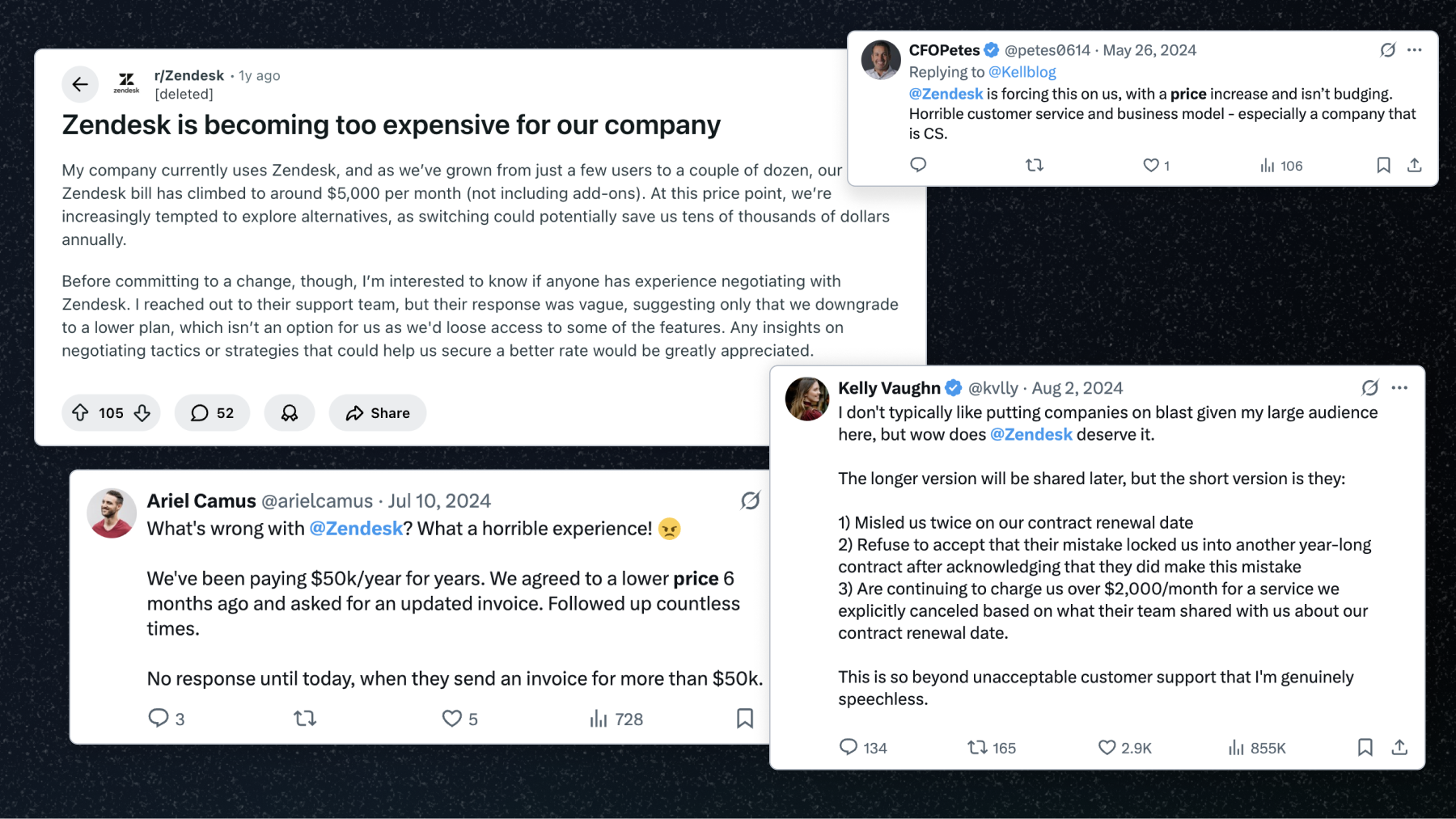
Zendesk might look affordable at first, but once you factor in add-ons, per-resolution AI fees, and per-agent pricing, the costs can climb fast. In this guide, we'll break down Zendesk's 2026 pricing - every plan, add-on, and the new AI resolution fees - so you know exactly what you'll pay.


✨ Psst... Looking for modern & affordable alternative to Zendesk? Check out Featurebase →
Thinking about using Zendesk to manage customer or employee support, but getting lost in its maze of pricing tiers and add-ons? You're not alone.
Zendesk's plans might look simple on the surface. Dig in, though, and you'll find two separate product lines (Customer Service and Employee Service), a long list of pricey add-ons, and a new per-resolution AI meter that can quietly grow your bill every month.
Many teams start on the cheaper plans, only to realize later that basics like AI, analytics, or multi-language help centers are locked behind higher tiers.
In this guide, I'll break down Zendesk's 2026 pricing clearly - what each plan includes, where the hidden costs creep in, how the new AI pricing works, and whether it's actually worth what you're paying for. 👇
Key takeaways
- Zendesk offers two main suites: the Customer Service Suite and the Employee Service Suite.
- All plans are billed per agent per month, and costs rise quickly as your team grows.
- AI is now billed per outcome. Every plan includes a small allowance of automated resolutions, then you pay $1.50-$2.00 per resolution after that, so AI costs scale with usage.
- Add-ons drive up costs fast. Typical real-world costs are 2-3x the base rates once you add features like Copilot, QA, and Contact Center.
- Zendesk provides discounts for startups and for annual billing (around 20% off).
- There are more affordable alternatives, including Featurebase✨, which provides modern AI-powered support for fast-growing teams.
What is Zendesk?
Zendesk is a customer service and help desk platform built to manage support requests across channels like email, chat, social media, and phone - all in one place.
It's designed to help both external support teams (customer-facing) and internal IT or HR teams (employee-facing) streamline communication, automate repetitive tasks, and track performance through analytics and AI tools.
Some of its main features include:
- Ticketing system - centralize all customer inquiries from different channels into one inbox, so teams can manage and track every conversation efficiently
- AI agents & automation - use Zendesk's AI to resolve common questions automatically and assist agents with suggested replies and workflows
- Help centers & self-service customer portal - build knowledge bases where customers or employees can find answers themselves
- Omnichannel messaging - combines live chat, email, phone, and social media messages into a single view
- Reporting & analytics - track key support metrics like response times, satisfaction scores, and ticket trends in customizable dashboards
- Integrations & customization - connects with 1,800+ apps like Slack, Salesforce, and Jira, and supports extensive API-based customization
In short, Zendesk handles everything from ticketing and automation to AI-powered support - but as you'll see next, the real challenge is figuring out how much all that actually costs and whether there are better options on the market. 🤔
Zendesk pricing 2026
Zendesk's pricing is split into two main product lines: the Customer Service Suite and the Employee Service Suite. Each comes with multiple tiers, billed per agent per month, packed with a mix of AI, automation, and support tools that grow with every upgrade. All the prices below are the rates you get when paying yearly, as of July 2026 - monthly billing runs roughly 20% higher.
Example: If Lisa from your support team needs access to both suites, you'll need a seat in each, so she'd have two licenses - one for Customer Service Suite (e.g. $55/month) and another for Employee Service Suite (e.g. $29/month), totalling $84/agent/month for entry plans.
The costs add up fast once you factor in multiple teams, different add-ons, and overlapping licenses.
Let's start with the Customer Service Suite for external support teams. 👇
Pricing is only half the picture. For the full feature-and-value breakdown, read our complete Zendesk review.
Customer Service Suite
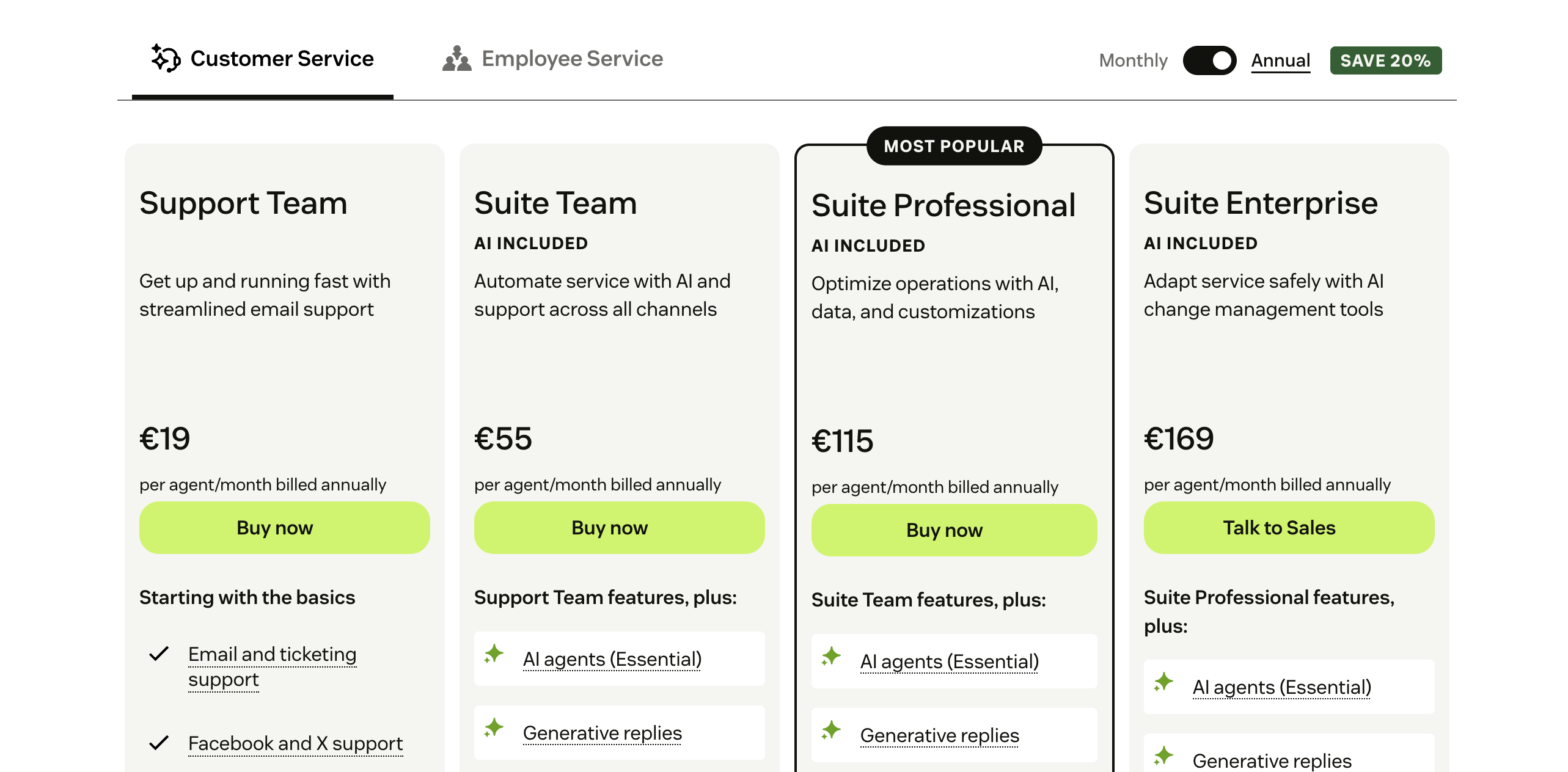
Zendesk's Customer Service Suite is built for handling external, customer-facing interactions across channels like email, chat, and phone. It includes Zendesk's core ticketing, AI agents, analytics, and help center tools.
Support Team ($19/agent/mo)
The entry-level plan designed for small teams or startups that only need basic ticket management:
- Email and ticketing system
- Ticket routing
- Prebuilt analytics dashboards
- Pre-written responses and customer context
- Automations and triggers
Good for teams who just need a centralized inbox for support requests without advanced automation or omnichannel support.
Suite Team ($55/agent/mo)
A solid upgrade for teams ready to expand beyond email into chat and messaging:
- Omnichannel ticketing across email, chat, phone, and social messaging
- 1 Help Center with generative AI search
- Essential AI agents and generative replies
- Automated resolution reporting
- Basic analytics and dashboards
Ideal for growing teams that want all channels under one roof, plus AI features to deflect repetitive tickets.
Suite Professional ($115/agent/mo)
Aimed at larger teams needing advanced workflows and analytics. This is Zendesk's "most popular" tier:
- Everything in Suite Team
- Up to 5 Help Centers with multilingual support
- Real-time and customizable dashboards
- Skills-based routing and IVR phone tree
- Service level agreements (SLAs)
- Admin Copilot, App Builder, and writing tools
- HIPAA compliance and advanced data options
Perfect for scaling companies that need detailed reporting, better routing, and multi-brand support.
Suite Enterprise + Copilot (custom pricing)
Built for enterprises managing complex, global operations. Zendesk no longer lists a public price for this tier - you have to talk to sales:
- Everything in Suite Professional
- Up to 300 Help Centers
- Intelligent triage and auto assist
- Generative AI for voice
- Approval workflows and dynamic workspaces
- Multiple sandboxes for testing
- Custom agent roles and audit logs
This tier offers the highest flexibility, but it's also where costs climb the most - especially once you add per-resolution AI usage or extras like Advanced Data Privacy.
Here's a quick overview of the Customer Service Suite pricing plans:
| Customer Service Suite Plan | Price / Agent / Month (billed yearly) | Best For | Key Features | Starting Cost (10 Agents / Month) |
|---|---|---|---|---|
| Support Team | $19 | Small teams needing basic email support | Email & ticketing, ticket routing, analytics, automations | $190/mo |
| Suite Team | $55 | Small to midsize teams needing omnichannel support | Email, chat, social & phone, 1 Help Center, Essential AI agents, generative replies | $550/mo |
| Suite Professional | $115 | Growing companies needing automation and analytics | 5 Help Centers, real-time dashboards, SLAs, skills-based routing, Admin Copilot, HIPAA | $1,150/mo |
| Suite Enterprise + Copilot | Talk to Sales | Large organizations needing customization and control | 300 Help Centers, intelligent triage, custom roles, audit logs, sandboxes | Contact Sales |
✨ Switch from Zendesk to save +$1k/mo and get the fastest AI-powered support platform →
Employee Service Suite
Zendesk's Employee Service Suite mirrors the Customer Service setup but focuses on internal IT, HR, and operations support. It centralizes employee requests, automates internal workflows, and connects with internal tools like Slack or Microsoft Teams.
Suite Team ($29/agent/mo)
Best for startups or small internal teams that need a basic service desk:
- 1 Help Center
- Essential AI agents
- Email support
- Generative replies and prebuilt analytics dashboards
Good for teams just starting to organize internal support without heavy automation.
Suite Growth ($59/agent/mo)
Adds automation, collaboration, and a self-service portal. This is the "most popular" employee-service tier:
- Everything in Team
- IT asset management and service catalog
- Self-service employee portal
- Tasks and approvals
- Service level agreements (SLAs)
Great for mid-sized teams that want structured workflows and internal visibility.
Suite Professional ($99/agent/mo)
Advanced setup for larger organizations needing detailed analytics and control:
- Everything in Growth
- App Builder, writing tools, and quick reports
- Admin Copilot
- Skills-based routing and advanced automations
- Customizable reporting
A strong choice for scaling internal support teams or IT departments.
Suite Enterprise (custom pricing)
Tailored for large enterprises with complex internal processes:
- Everything in Professional
- Sandbox environment
- Custom agent roles and department spaces
- Audit logs and customizable reporting
- Enhanced security and compliance
You'll need to contact sales for pricing - but as usual with Zendesk, expect it to climb steeply depending on your seat count and add-ons.
Here's a quick overview of the Employee Service Suite pricing:
| Employee Service Suite Plan | Price / Agent / Month (billed yearly) | Best For | Key Features | Starting Cost (10 Agents / Month) |
|---|---|---|---|---|
| Suite Team | $29 | Small or startup teams handling internal support | 1 Help Center, Essential AI agents, email support, generative replies | $290/mo |
| Suite Growth | $59 | Scaling internal teams needing automation | IT asset management, service catalog, employee portal, SLAs | $590/mo |
| Suite Professional | $99 | Larger IT/HR teams needing analytics & control | App Builder, Admin Copilot, skills-based routing, custom reporting | $990/mo |
| Suite Enterprise | Talk to Sales | Enterprises needing full customization | Sandbox, custom roles, audit logs, department spaces, advanced security | Contact Sales |
Zendesk add-ons pricing
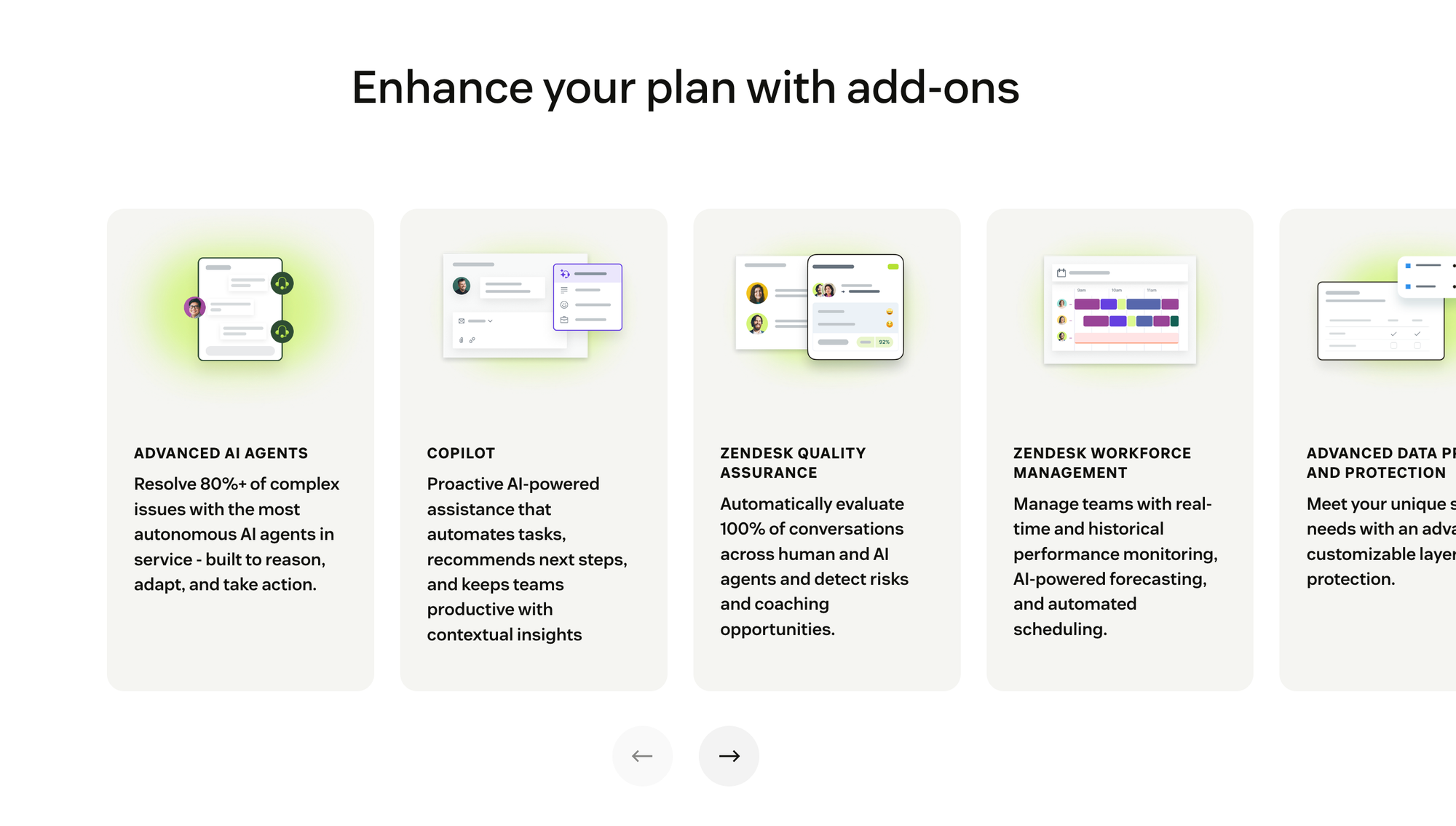
On top of the base plans, most of the features teams actually need - like Copilot, QA, or a full contact center - sit behind separate add-ons. These can easily double your monthly bill if you're not careful. 👇
Copilot ($50/agent/mo)
Zendesk Copilot helps human agents work faster with AI-suggested replies, summaries, and next-step recommendations directly in the inbox.
It's the headline add-on, and at $50 per agent per month it costs nearly as much as the Suite Team plan itself. Copilot is now bundled into the Suite Enterprise + Copilot tier, but everyone else pays for it separately.

✨ Don't like hidden fees and expensive add-ons? Check out Featurebase and get the fastest AI-powered support platform →
Advanced AI Agents (contact sales)
The Advanced AI Agents add-on (powered by Zendesk's Forethought acquisition) lets AI handle more complex, multi-step customer interactions and take actions across systems. Pricing isn't public and is quoted by sales.
Keep in mind that all AI agent usage - basic or advanced - is billed per automated resolution on top of your plan (more on that below).
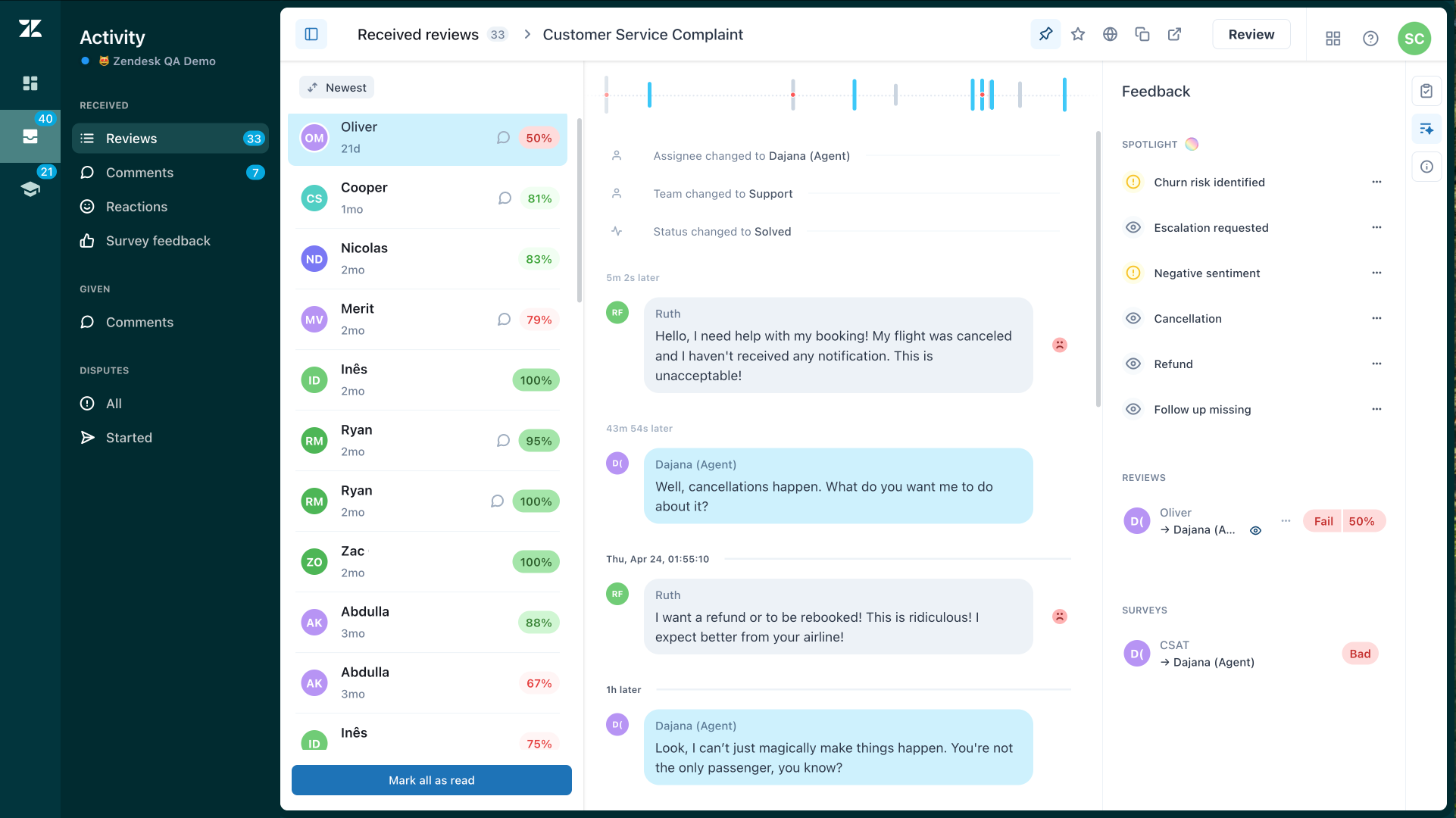
Zendesk Quality Assurance QA ($35/agent/mo)
The Zendesk QA add-on helps teams maintain consistent service quality by automatically reviewing and scoring customer interactions. It uses AI to spot coaching opportunities, flags problem areas, and highlights top-performing agents.
Useful for growing support teams that need visibility into agent quality without manual audits. Pricing starts at $35 per agent per month.
Zendesk Workforce Management ($25/agent/mo)
The Zendesk Workforce Management (WFM) add-on helps teams forecast demand, schedule agents, and monitor productivity in real time. It replaces manual scheduling with smart automation and gives managers real-time visibility into team performance.
It's available across Suite and Support plans, or bundled with QA (see below). Pricing typically starts around $25 per agent per month.
Workforce Engagement bundle ($50/agent/mo)
The Workforce Engagement Management (WEM) bundle combines the previous two add-ons - Workforce Management (WFM) and Quality Assurance (QA) - at a discounted rate.
The bundle is $50/agent/mo, so you save $10/agent/mo versus buying them separately. It's a smart choice for mid-sized to large support teams that want full visibility into both agent performance and scheduling.
Advanced Data Privacy & Protection ($50/agent/mo)
The Advanced Data Privacy & Protection (ADPP) add-on gives enterprises extra layers of security and compliance control beyond Zendesk's default settings. It includes access logs, custom retention policies, automatic redaction, and BYOK encryption.
ADPP is built for organizations handling sensitive or regulated data, and it's available on Suite and Support Enterprise plans. The pricing for this add-on is $50/agent/month.
Contact Center ($83/agent/mo)
The Contact Center add-on costs $83/agent/mo and expands Zendesk's voice and messaging capabilities for teams that rely on phone-based support.
It adds advanced call routing, IVR trees, and real-time call monitoring directly inside Zendesk. It's best for teams that handle high call volumes or run dedicated phone support.
Zendesk AI pricing: How automated resolutions work
Here's the part that catches most teams off guard: as of July 2026, Zendesk prices its AI agents by outcome, not by a flat per-seat fee. AI agents are included in every Support and Suite plan, but you pay based on how many issues they successfully resolve.
The unit Zendesk bills on is the automated resolution - a customer request that the AI agent resolves on its own, without escalating to a human. Each plan includes a small monthly allowance of automated resolutions per agent, and once you pass it, you pay for every extra resolution:
- Support Team & Suite Team: around 5 automated resolutions per agent per month included
- Suite Professional: around 10 automated resolutions per agent per month included
- Suite Enterprise: around 15 automated resolutions per agent per month included
After the included allowance, overage is billed at roughly $1.50 per automated resolution on a committed-volume plan, or $2.00 per resolution on pay-as-you-go.
The catch with this model is that it's usage-based, so the better your AI performs, the more you pay. A team that leans on AI to deflect thousands of tickets can see resolution fees rival the cost of the base plan itself, which makes the total bill hard to predict month to month.
Why Zendesk ends up costing more than it claims
After that long list of add-ons and the per-resolution AI meter, it's clear that Zendesk's real cost is higher than it first seems. Most of the features teams actually need - automation, QA, AI assistance, and analytics - come as separate, paid extras.
If you want the full picture of the trade-offs, our Zendesk pros and cons breakdown digs into where the platform is worth it and where it falls short. For now, let's look at a few examples of how the real numbers add up. 👇
Example 1: Small startup (5 agents)
A small support team starts on the Suite Team plan ($55/agent), thinking it covers everything. They quickly realize they also need Copilot and quality checks, so they add Copilot ($50) and QA ($35) per seat.
Total cost: 5 agents × ($55 + $50 + $35) = $700/month
That's about 2.5× the advertised $275/month entry price - before any AI resolution overages.
Example 2: Growing SaaS company (10 agents)
A growing team upgrades to Suite Professional ($115/agent) for better analytics and SLAs. They also add Copilot ($50) for faster replies and WFM ($25) for scheduling.
Total cost: 10 agents × ($115 + $50 + $25) = $1,900/month
Add per-resolution AI fees and phone usage, and they're easily paying over $2,000/month.
Example 3: Enterprise support (50 agents)
An enterprise team runs Suite Enterprise (quote-based, historically around $169/agent) with the usual extras - Copilot, ADPP, and QA.
Total cost (estimate): 50 agents × ($169 + $50 + $50 + $35) ≈ $15,200/month, or over $180,000/year.
And that's before per-resolution AI fees, contact center usage, or custom encryption.
The real cost of Zendesk
| Team Size | Base Plan | Common Add-ons | Estimated Monthly Cost |
|---|---|---|---|
| 5 agents | Suite Team ($55) | Copilot + QA | $700 |
| 10 agents | Suite Professional ($115) | Copilot + WFM | $1,900 |
| 50 agents | Suite Enterprise (quote) | Copilot + ADPP + QA | $15,200+ |
So while Zendesk advertises plans starting at $19 per agent, most teams end up paying 2-3x that amount once you include the essentials, plus per-resolution AI fees on top. It's a powerful platform, but one that comes with a price tag most teams don't expect upfront.
✨ Switch from Zendesk to save +$1k/mo and get the fastest AI-powered support platform →
What if Zendesk is too expensive for me?
Don’t worry - you’re not the only one. Many teams look for simpler and more affordable alternatives. Some of the best options include:
- ✨ Featurebase – Best modern Zendesk alternative for fast-growing startups
- Zoho Desk – Best affordable omnichannel support with AI and automation
- Freshdesk – Best easy-to-use helpdesk with AI, chat, and self-service options
- Intercom – Best for conversational support with AI bots & proactive messaging
- Salesforce Service Cloud – Best for enterprise CRM and support platform
- Help Scout – Best lightweight helpdesk with shared inbox, chat, and docs
- HubSpot Service Hub – Best for HubSpot users needing integrated support tools
- Tidio – Best for e-commerce wanting a AI-powered live chat platform
- HappyFox – Best enterprise support platform with ticketing and automation
- Kayako – Best unified chat and ticketing tool with SLA tracking
You can dive deeper into all of the best alternatives from our Top Zendesk alternatives blog.
Who is Zendesk for?
Zendesk is designed for companies that want a powerful, all-in-one customer service platform. It's best suited for larger teams with complex support operations, multiple brands, or heavy compliance needs. Here's how it breaks down:
- Startups and small businesses: Can start with lower-tier plans like Suite Team, but will quickly hit limits around automation, analytics, and AI - and the per-resolution AI fees can sting on a tight budget.
- Growing SaaS or e-commerce companies: Benefit from Zendesk's omnichannel capabilities and integrations, but should expect higher costs as agent numbers grow.
- Enterprises and global organizations: The ideal fit for Zendesk. Features like custom roles, multi-brand support, and advanced security make it a solid enterprise-grade solution.
In short, Zendesk works best for teams that need scalability and don't mind higher prices for enterprise reliability, AI tools, and security compliance. Smaller or cost-conscious teams, however, will likely find simpler and more affordable platforms a better fit.
So, is Zendesk worth it?
Zendesk's customer support software is undeniably powerful, with advanced AI, deep integrations, and enterprise-level reliability. But it also comes with a steep price tag and a complex pricing structure - now including per-resolution AI fees - that can catch smaller teams off guard. For large organizations, it can be a great fit. For most growing teams, there are better-value options on the market.
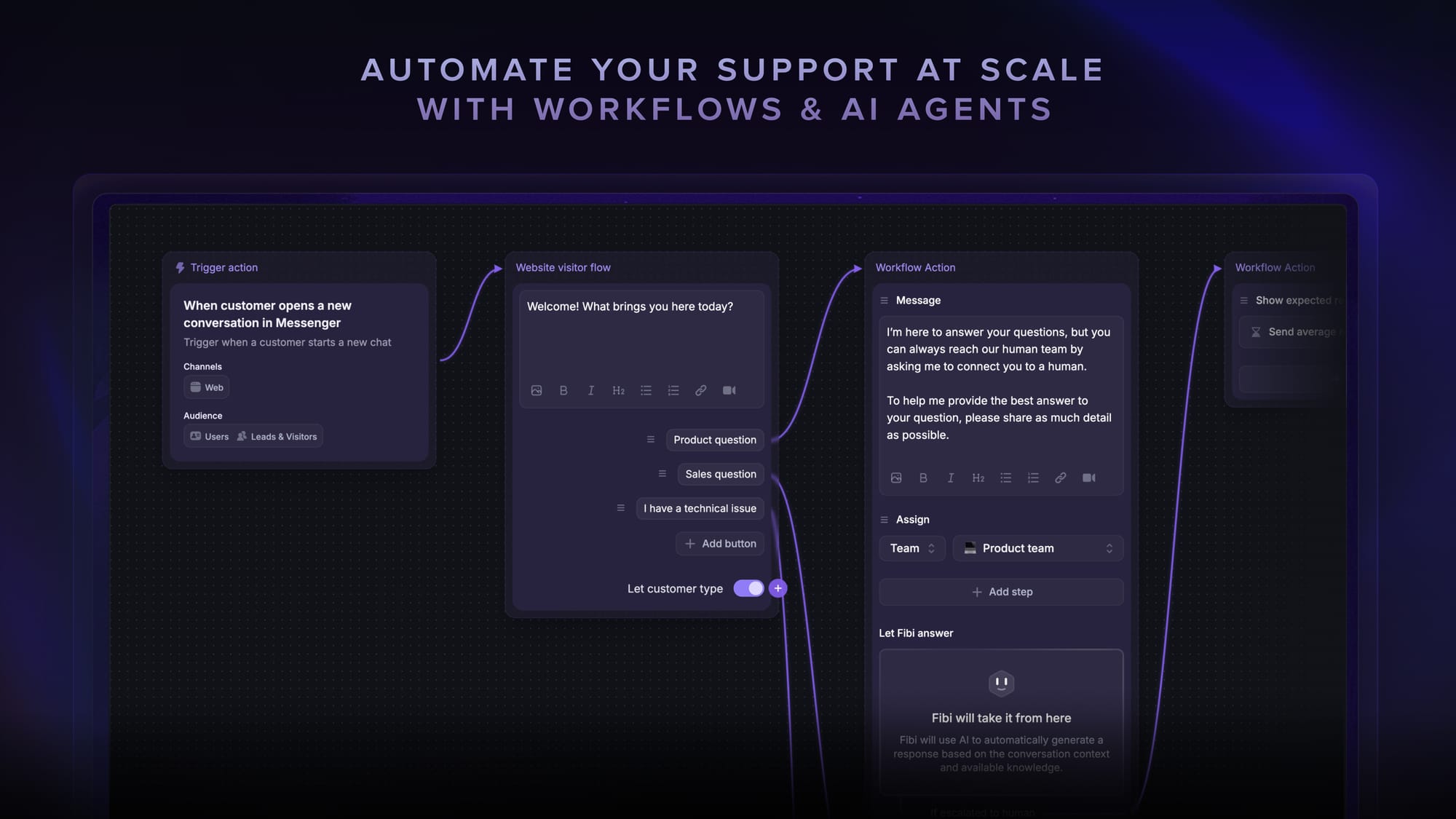
Featurebase is a modern AI customer support platform and one of the most affordable Zendesk alternatives for product-led SaaS. It combines AI-powered support, a help center, and feedback management into a single platform for startups that want all their customer-facing tools in one place. Featurebase is loved by thousands of support teams from companies like Lovable, Raycast, and n8n. 💫
Top features:
- Omnichannel inbox – Manage live chat, email, and Slack conversations from one AI-powered view
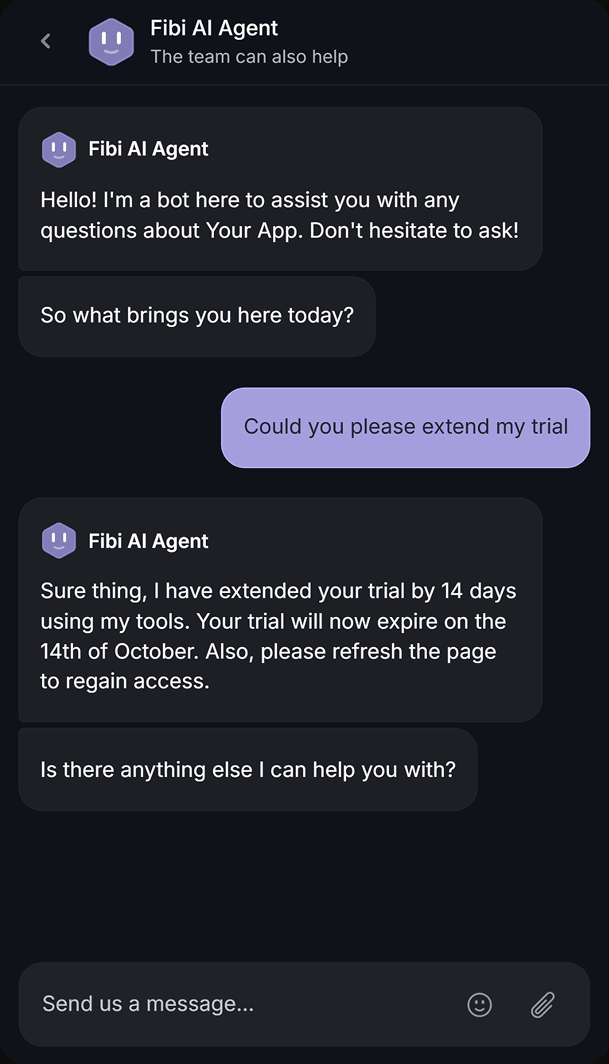
- Fibi AI Agent – Resolve customer issues on autopilot & run custom actions like trial extensions and refunds
- Help center with AI search – Provide instant, multilingual self-serve answers
- Workflows & automations – Auto-assign tickets, route conversations, collect customer data, and more
- AI Copilot – Help your agents answer customers faster with AI Copilot that uses your internal knowledge
- Multi-brand support – Manage multiple Help Centers and Live chats from a single workspace
- Automatic AI translations – Automatically translate all messages and help articles into your customers' native language
- Service Level Agreements – Track SLAs to make sure your team responds to customers on time, every time
- Mobile app – Respond to customers, receive notifications, and unblock users on the go
- Feedback & roadmap tools – Collect feature requests and close the loop with updates
- Product updates – Publish release notes with a changelog page, in-app widget, and emails
- Integrations – Connects with Slack, Linear, Jira, HubSpot, and more
Pricing: Free plan available with unlimited conversations. Paid plans start at $29/seat/month with $0.29 per AI resolution - a fraction of Zendesk's per-resolution rate.
What's best is that you can migrate your existing Zendesk knowledge base with one click, so there's no downside to trying it out. 👇
✨ Automate your support with the fastest AI-enhanced Inbox today →
FAQs
How does Zendesk pricing work?
Zendesk pricing is seat-based - you pay per agent, per month, and the price depends on which plan tier you choose across the Customer Service or Employee Service suites. On top of that base subscription, you pay separately for add-ons (like Copilot or Contact Center) and for AI agent usage billed per automated resolution. Annual billing is cheaper than paying monthly, by roughly 20%.
How much does Zendesk cost per agent?
Zendesk's Customer Service Suite starts at $19/agent/month for the Support Team plan and runs to $55 (Suite Team) and $115 (Suite Professional), with Suite Enterprise quoted by sales. Most teams pay well above the sticker price once add-ons and AI resolution fees are included - often 2-3x the base rate.
Does Zendesk have a free plan?
No, Zendesk does not offer a free plan. It provides a 14-day free trial so you can test the product, but after that you'll need a paid subscription. If a permanently free option matters to you, alternatives like Featurebase offer a free plan.
How does Zendesk's AI pricing work?
Zendesk bills AI agents by outcome, using "automated resolutions" - requests the AI resolves without human escalation. Each plan includes a small monthly allowance of resolutions per agent, and after that you pay roughly $1.50-$2.00 per automated resolution. Because it's usage-based, your AI costs rise the more your AI agents resolve.
Does Zendesk offer a free trial?
Yes, Zendesk offers a 14-day free trial. By default it gives you access to the Customer Service Suite Professional plan with Copilot included, though some premium add-ons require contacting sales to test. Enterprise buyers can also request a personalized demo.
Does Zendesk offer any discounts?
Yes. Annual billing saves around 20% compared to monthly billing across most Suite and Support plans. Zendesk also runs a startup program that gives qualified early-stage startups a 6-month free trial of the Suite for up to 50 agents, and larger enterprise discounts are negotiated directly with sales.
Is there a cheaper Zendesk alternative?
Yes - several platforms deliver modern support at a lower cost. Featurebase is a popular choice for fast-growing SaaS teams, with a free plan, paid seats from $29/month, and AI resolutions at $0.29 each, plus a one-click Zendesk knowledge base migration. It bundles support, help center, feedback, and product updates in one place instead of charging for each as a separate add-on.