Blog ComparisonsWhat is Pendo and Who is it for? The 2026 Review
What is Pendo and Who is it for? The 2026 Review
Is Pendo a game-changer for your SaaS or just an overpriced option with a steep learning curve?

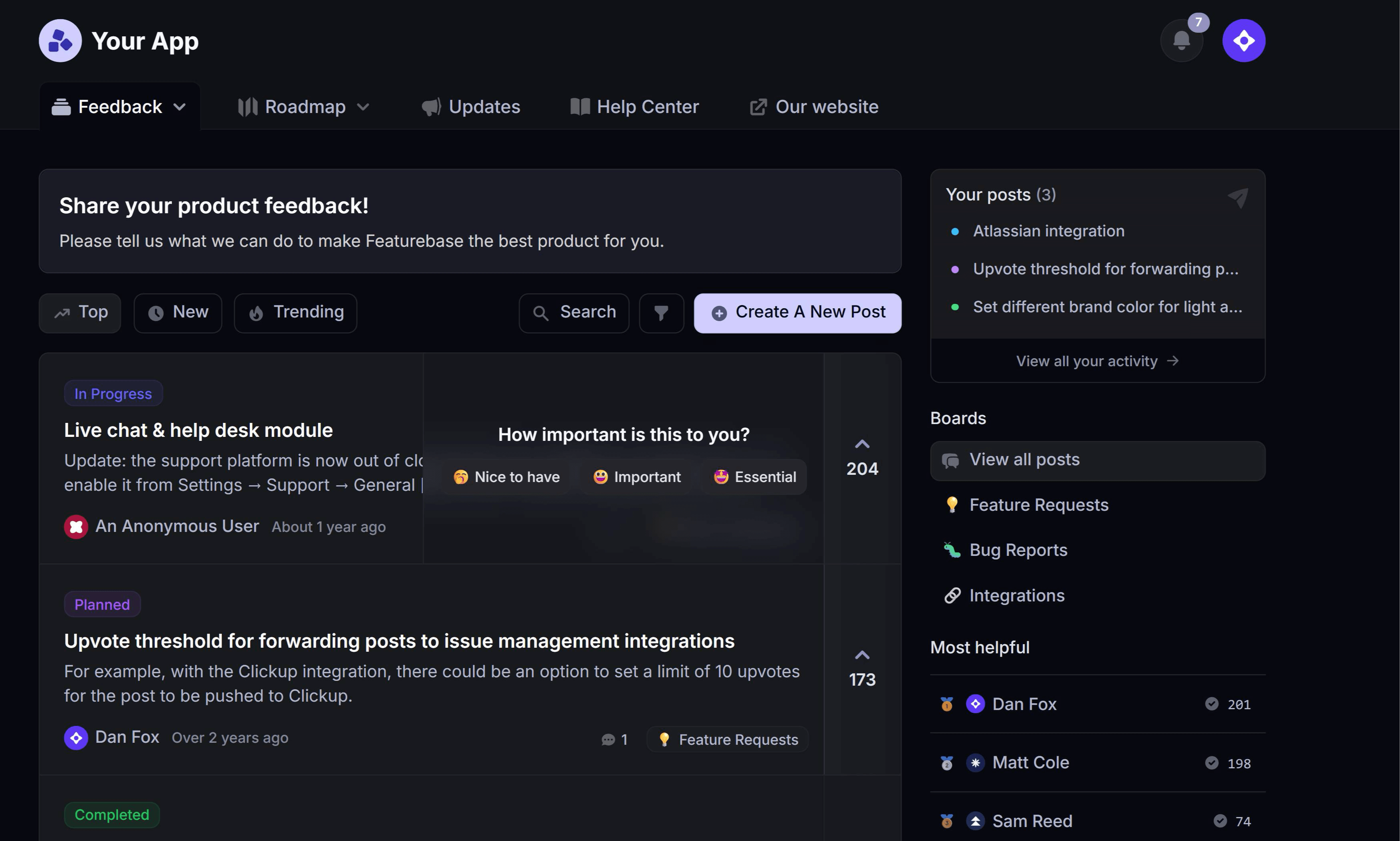

✨ Looking for a more powerful & affordable alternative to Pendo? Check out Featurebase →
Countless SaaS companies are launched monthly, hoping to become the next Slack. But on the way to the IPO (or acquisition by Salesforce), there are many pitfalls. Battling churn, navigating pricing, and, most importantly, collecting customer feedback.
The Pendo platform promises to help you understand user behavior, improve product adoption, and investigate how users interact with your product. Today, we look at Pendo to determine if it's the best choice for your team. 👇
Key takeaways
- Pendo is a product analytics and digital adoption platform for SaaS teams, combining analytics, in-app guides, session replays, feedback, and roadmaps in one tool.
- It fits mid-market and enterprise product, customer success, and sales teams that have people dedicated to analyzing product data.
- Pricing is quote-based and steep: a free plan covers up to 500 monthly active users, but paid plans start around $15,000 per year and enterprise contracts can exceed $130,000 (as of July 2026).
- Its main trade-offs are a steep learning curve, MAU-based pricing that scales painfully as you grow, and limited customization without code.
- If you mainly need feedback collection, a lighter tool like Featurebase✨ covers feedback, roadmaps, and updates at a fraction of the price.
What is Pendo?
Pendo.io is a product analytics platform built for SaaS businesses. This tool allows software companies to understand how users interact with their platforms. Pendo gives insights into user behavior, onboarding, product adoption, customer satisfaction, and more.
Pendo.io helps software companies collect quantitative and qualitative feedback on how people interact with their software. It has a market reputation as an all-in-one platform for product management, product analytics, and generally achieving business outcomes.
Also see: Top 12 Pendo Alternatives in 2026 →
Top features and use cases in Pendo
Pendo is a very powerful product, with customers often complaining that they barely scratch the surface of all the features offered. Here are the most important use cases for this tool.
1. Product analytics
Understand what your customers are doing within your app to help you guide future development. Pendo Product Analytics lets you know which pages your customers visit, what they do on them, how much time they spend on each one, and more.
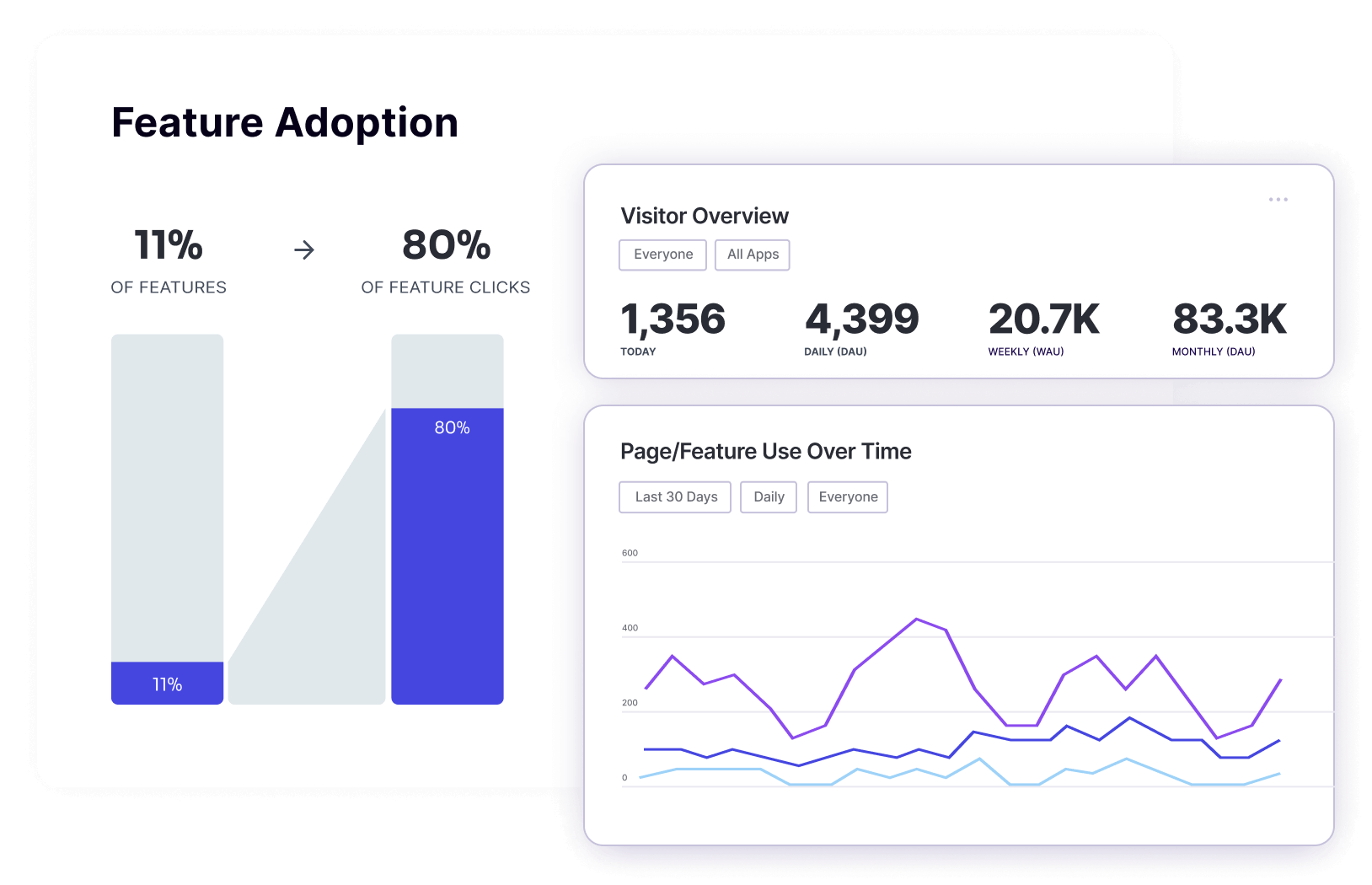
Besides the raw metrics, you can visualize user paths to discover on which pages users drop off. On top of that, you can gather user feedback through in-app messaging and NPS surveys.
Having all of this information in one place is immensely helpful. You can get a more accurate overview of the customer journey, discover who your power users are, and use the feedback to increase customer loyalty and user satisfaction.
2. In-app guides
Sometimes, you have the best idea for a feature, but your customers won't know what to do with it. You can use Pendo's in-app guides to create personalized onboarding pathways for each customer. Instead of wandering aimlessly, they'll get messages and subtle nudges about what to do next.
Product managers can use Pendo's AI features to build in-app guides quickly from scratch if they want to kickstart their product adoption. Alternatively, you can split up your customers into segments so that each of them gets the right message at the right time.
Pendo offers an easy in-app message builder so that everyone in your team can find ways to meet user needs and guide new users through dedicated onboarding flows.
3. Session replays
Use Pendo to watch replays of what customers do in your app, click by click. This is a fairly common feature offered by tools such as Hotjar or Fullstory, but in Pendo, product teams can easily tie it to other data they collect.
You can segment session replays by specific pages, user groups, accounts and even individual users. This can help you tailor a better customer experience just by looking at user actions - you won't have to nudge your users and ask for feedback.
4. Customer feedback collection
Product managers and owners can collect customer feedback where it counts: directly in the app. Collect feedback from specific pages, user groups and accounts, in both qualitative and quantitative ways, which makes it one of the better Appcues alternatives.
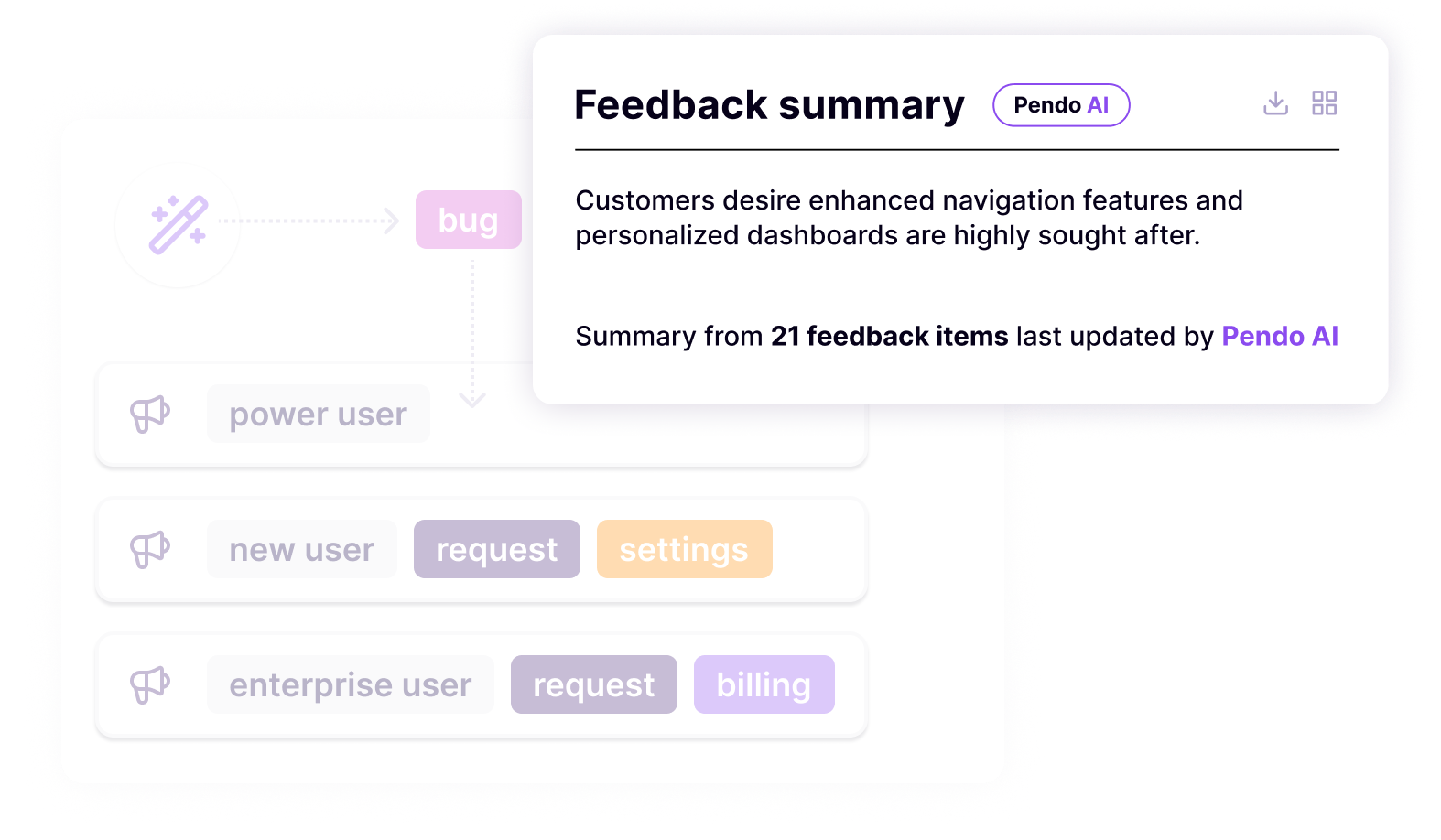
Pendo makes it easy to review many feedback items simultaneously with AI. It summarizes qualitative insights to give you a breakdown of the most important items you should focus on. It can track user behavior and help you understand how many users feel a certain way and why.
5. Product validation
Pendo helps product teams even with features that have not yet been built. If you want to test the waters and see if customers would want certain features, simply validate with Pendo.
The platform allows you to ask specific user segments what they think about certain product ideas. You get quantitative and qualitative feedback about new features before you launch them.
If you do it the other way around and ship features, then measuring feature usage, it may be too late with money and web time wasted.
6. Pendo roadmaps
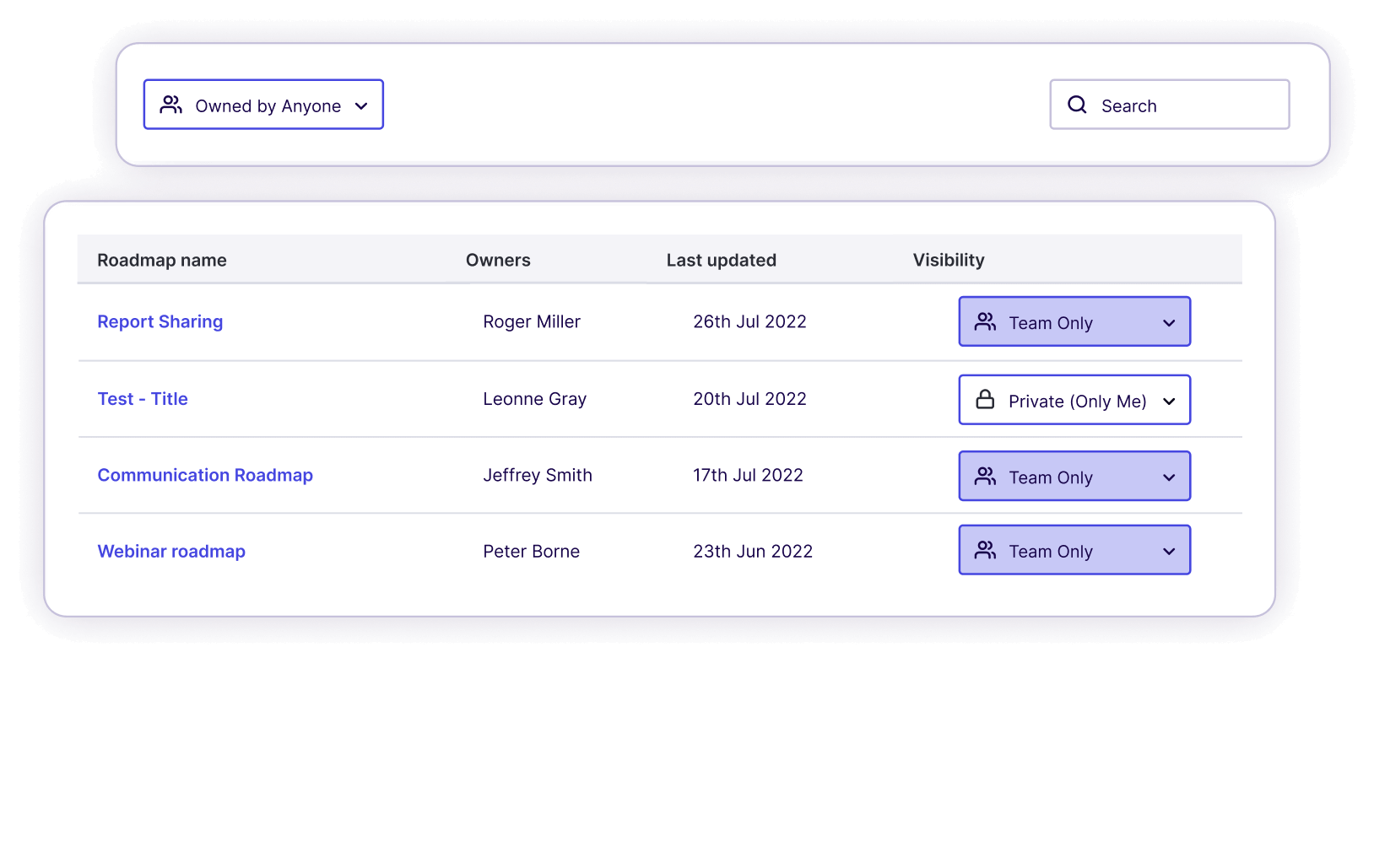
Companies can become more transparent by communicating what they're going to build through product roadmaps. With Pendo, you can control your backlog and create a roadmap based on cold, hard data.
You can share the roadmaps either internally or with your customer communities.
7. Pendo AI
It's not one specific feature; it's rather a set of AI tools that span across different features in Pendo.
For example, you can use AI to analyze and group customer feedback. Let's say you have a large number of customers requesting a dashboard in your product. Instead of looking at tools such as Google Analytics, various survey tools, etc., Pendo tells you how users navigate your product, how many customers talk about dashboards and the sentiment behind the feedback.
Pendo also gives AI-backed suggestions on improvements you can make to improve feature adoption and onboarding. For example, if users frequently repeat one step or get stuck on a page, Pendo recognizes it and suggests changes.
Last but not least, AI helps you create in-app guides. You can choose the number of steps and the tone for the guide based on previous user behaviour, and Pendo does the rest.
8. Pendo Mobile
If you have a mobile app, Pendo can connect the experiences between platforms to give you insights on how customers interact with them. Just like the web app, you can create tailored in-app messaging for mobile users.
On top of that, you'll get mobile-specific insights, e.g. which operating systems and devices are used the most to access your app(s).
Who is Pendo for?
Wondering if Pendo is right for you? These user groups will benefit the most from purchasing Pendo:
- Product teams - to better communicate customers' needs to the development teams and build the kind of product that solves users' actual pain points.
- Customer success teams - to gain insights from self-service support and find out where customers need help to get the most out of a product.
- IT and business operations teams - to get product intelligence and find the exact path to building breakthrough digital experiences for end-users.
- Sales teams - to determine the most valuable features in the app and know what to sell to which user group. To find champion users and pitch to the right person in an organization.
- Marketing teams - to find the most impactful features to promote to a group of customers. Also helps with product marketing efforts by having a transparent public roadmap, etc.
- Finance teams - to learn which features drive product success and increased revenue.
Who is Pendo not for?
Even though Pendo is a powerful platform, it is not the right fit for every company or team. In fact, many SaaS businesses end up paying for features they rarely use.
Here are the types of teams that may struggle with Pendo.
Early-stage startups and small SaaS teams
Pendo's pricing makes it difficult for smaller companies to justify the investment. With entry costs estimated at around $15,000 per year, many startups simply need something lighter.
If your goal is just to understand basic user behavior, gather feature requests, and improve user engagement, a full product analytics suite like Pendo can feel excessive.
Many early-stage teams prefer simpler feedback tools that allow them to collect ideas, prioritize requests, and communicate updates without needing a large budget.
Teams that mainly need feedback collection
Pendo includes feedback features, but feedback is only one piece of a much larger platform.
If your main priority is collecting feature requests, prioritizing ideas, and improving the user journey, dedicated feedback tools may provide a cleaner experience. These tools often focus on idea boards, voting systems, and roadmap sharing instead of heavy analytics.
For product managers who mainly want structured feedback from customers, Pendo may feel overly complex.
Companies without a dedicated product analytics team
Pendo shines when teams actively analyze product data. If nobody in the company regularly reviews usage insights, builds segments, or studies user behavior, the platform quickly becomes underused.
Many smaller companies simply do not have enough people working on product analytics to justify such a feature-rich platform.
In those cases, tools focused on user engagement, onboarding guidance, and feedback collection often provide more immediate value.
Teams that want deep UI customization from a product analytics tool
While Pendo offers in app guides and messaging, customization can be limited unless you are comfortable working with code.
For teams that want full control over design elements across the user journey, or want onboarding experiences that perfectly match their product UI, this limitation can be frustrating.
Companies looking for simple onboarding tools
If your main goal is to build onboarding tours and improve user engagement, Pendo may be more complex than necessary.
Platforms focused specifically on onboarding, product tours, or lightweight feedback collection often allow teams to launch faster without learning a large analytics system first.
Pendo pricing details: how much does Pendo cost?
Pendo has four pricing plans:
- Free
- Base
- Core
- Ultimate
Unfortunately, pricing is not available publicly for any of these plans and you'll have to reach out to get a quote for your specific software product.
However, based on reported customer contracts (as of July 2026), paid plans start at around $15,000 per year. Mid-market deals average roughly $47,000 per year, and enterprise contracts can climb past $130,000 annually.
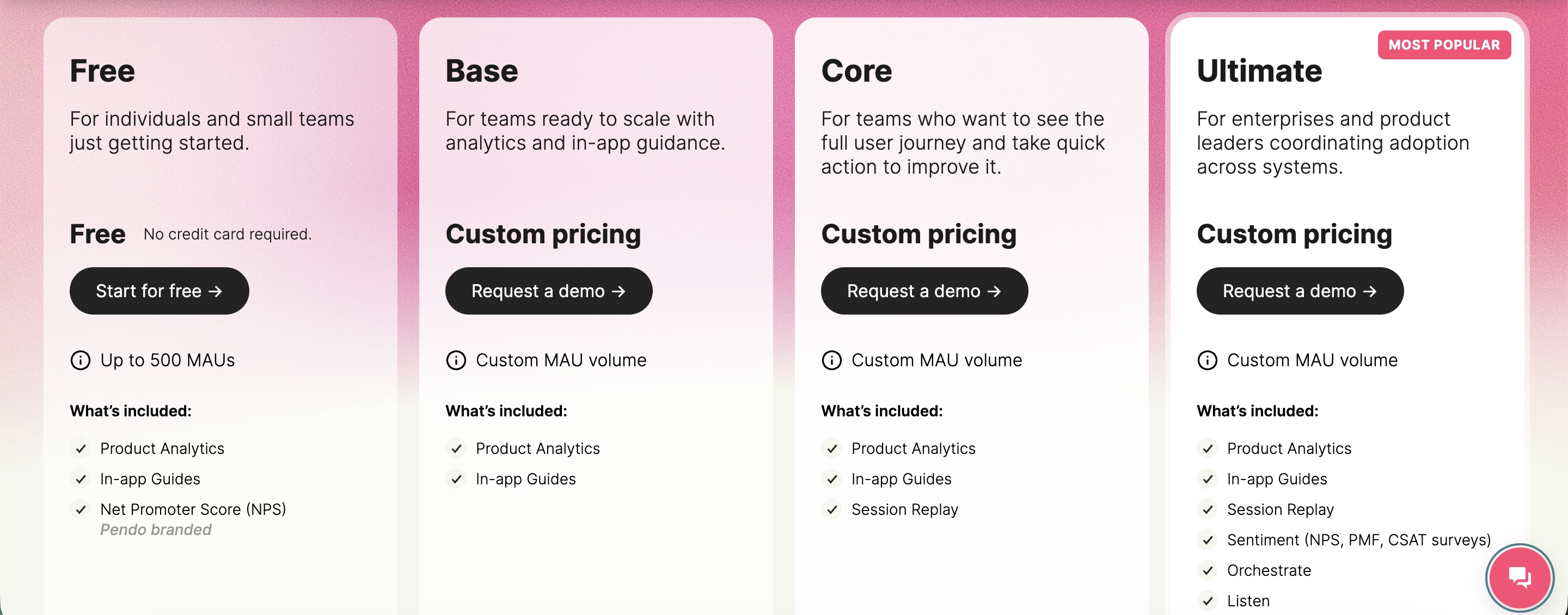
The Free plan is valid for up to 500 monthly active users, and gives you product analytics, in-app guidance, and Pendo-branded NPS surveys.
The Base plan has all the main features for product teams, including product analytics, in-app guides, and just one integration. The Core plan adds session replays on top.
The real value comes with Ultimate, which unlocks NPS surveys, product discovery, journey orchestration, and historical data sync, along with the Pro version of in-app guides and unlimited integrations.
Check out our full review of Pendo's pricing →
Pendo pros and cons
There are thousands of reviews on Pendo online from software companies using it in various ways. Let's cut through the noise and sum it up for you.
Pendo pros
- Easy to use for enterprise software: Pendo customers agree that the platform is fairly easy to get around and has a solid user experience. There are a lot of advanced features, which means a steep learning curve and a long initial setup. However, after a few days spent on user onboarding in Pendo, you'll be able to find what you need quite easily.
- Helps make data-driven decisions: You can use Pendo to gather user feedback quickly, learn usage patterns, find where feature adoption is stuck, and much more. Thanks to Pendo analytics, you can inform your decisions with data, making it ideal for customer success, sales, or product teams that need to pitch ideas to management and research users or compare engagement across features and user segments.
- A centralized way to collect user feedback: Besides usage data, you can also gauge how customers feel through a range of surveys and in-app messaging features in the Pendo app. You can communicate with users one by one, which helps you close the feedback loop fairly easily.
Pendo cons
- Pricing that scales painfully: Pendo is aimed at large enterprises, and its MAU-based pricing gets expensive fast. Because you pay by monthly active users, growing from 5,000 to 50,000 users can multiply your bill several times over, which effectively punishes the product-led growth Pendo is meant to support. Contracts are typically locked in for a year, so there's little room to adjust mid-term.
- Steep learning curve: The breadth of features is a double-edged sword. Non-technical users often struggle with the initial setup and implementation, and it can take a while before a team is getting real value out of the platform.
- Limited customization without code: Whether it's product guides, in-app messages, or badges, the customization options are fairly limited. You generally need a solid grasp of JavaScript to change anything beyond fonts and basic styling.
- Data latency and accuracy concerns: Pendo processes behavioral data in batches, so there can be roughly an hour of delay between a user action and it appearing in dashboards or triggering a guide. Some teams also report that the same filters can return inconsistent results, which makes them second-guess the numbers.
Featurebase: The better Pendo alternative
Pendo is an incredible tool for sales, customer success, and product teams. But at the same time, it may be a bit much, especially if you're just a startup trying to collect customer feedback.
It's prohibitively expensive, requires lots of learning just to get the basics set up, and chances are that you may not even use most of the features offered in the app.
Instead, why not try Featurebase?
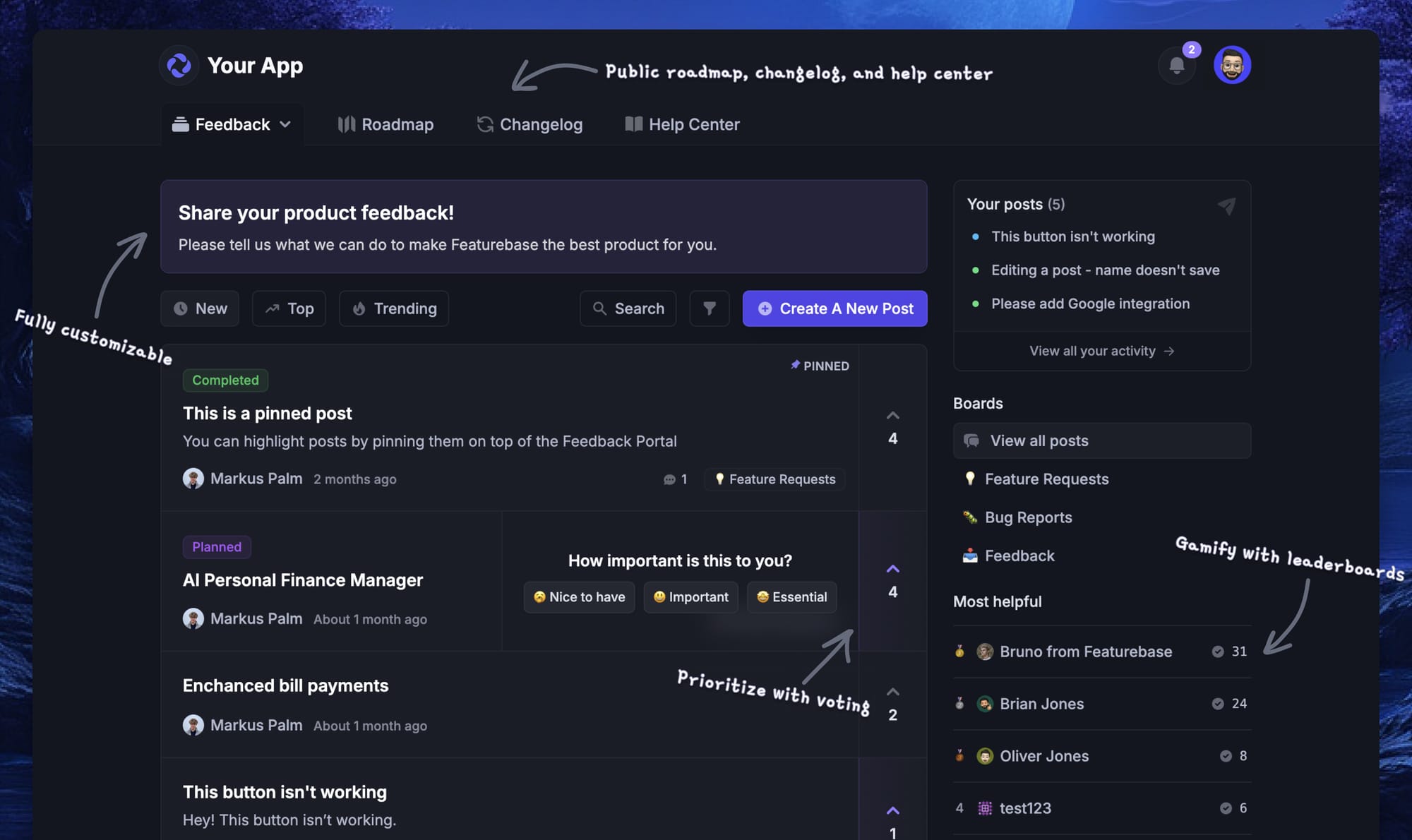
Featurebase covers the feedback, roadmap, and product-update side of Pendo without the analytics-suite price tag. It's a modern feedback platform built for product teams that want to actually hear from their users and close the loop, and it's trusted by teams at Lovable, Raycast, and n8n. 💫
Top features:
- Feedback forum – Public feedback forum where users can submit ideas and vote on features helping you know what customers want
- In-app widgets – Embed feedback, changelog, and help center widgets directly in your product
- Prioritize by revenue – Link feedback with customer revenue, company size, and much more to better understand the impact of ideas
- AI feedback categorization - Automatically group large volumes of feedback into product areas, projects, or themes with AI.
- Automated email updates – Automatically notify users when their requested features are implemented
- Roadmaps – Create internal & public product roadmaps to keep users informed and build engagement
- Product updates – Publish release notes with a changelog page, in-app widget, and emails
- Surveys (NPS, CSAT, etc) – Create targeted surveys to ask users anything and measure customer satisfaction.
- Automatic AI translations – Automatically translate all feedback and comments to your customers / teammates native languages
- Integrations – Connects with Slack, Linear, Jira, HubSpot, and more
Unlike Pendo, Featurebase has affordable, transparent pricing with a free plan and trial. You get unlimited feedback collection on the free plan, and paid plans start at just $29/seat/mo.
Where Pendo asks you to commit to a full analytics suite (and usually an enterprise contract) before you can get real value from its feedback tools, Featurebase lets you start with feedback and roadmaps on day one, then layer on updates, surveys, and support as you grow.
✨ Start collecting & managing feedback with Featurebase for free →
FAQs
What is Pendo used for?
Pendo is used to understand and improve how people use a software product. Teams rely on it for product analytics (tracking clicks, paths, and feature adoption), in-app guides and onboarding, session replays, NPS surveys, feedback collection, and product roadmaps. It's most common on product, customer success, and sales teams at mid-market and enterprise SaaS companies.
How much does Pendo cost?
Pendo's pricing is quote-based and not listed publicly, so you have to request a custom quote. There's a free plan for up to 500 monthly active users, and based on reported customer contracts (as of July 2026), paid plans start at around $15,000 per year, with mid-market deals averaging roughly $47,000 and enterprise contracts exceeding $130,000 annually.
Does Pendo have a free plan?
Yes. Pendo offers a free plan for up to 500 monthly active users that includes product analytics, in-app guidance, and Pendo-branded NPS surveys. It's a reasonable way to test the platform, though the MAU cap and Pendo branding make it better suited to early evaluation than long-term production use.
How does Pendo work?
You install a small snippet of code in your web or mobile app, and Pendo starts capturing user behavior retroactively without you having to tag every event first. From there, it layers analytics, in-app guides, surveys, and feedback on top of your product so you can see what users do and nudge them toward key actions.
What integrations does Pendo offer?
Pendo connects with common CRM, analytics, communication, and data-warehouse tools so you can move product data in and out of your existing stack. The number of integrations available depends on your plan, with entry tiers limited to a single integration and higher tiers unlocking more.
What are the best Pendo alternatives?
If Pendo feels like too much tool for the job, lighter options focus on the pieces most teams actually need. For teams whose main goal is collecting and prioritizing feedback, Featurebase offers a feedback forum, roadmaps, changelogs, and surveys with transparent pricing and a free plan. Simpler onboarding and analytics tools can also cover narrower needs at a lower cost.