Blog Customer Service12 Best Customer Service Automation Software for 2026
12 Best Customer Service Automation Software for 2026
Compare 12 customer service automation tools for 2026, including AI features, pricing, free plans, and trade-offs. Find the right fit for your support team.


✨ Automate your support with the fastest AI-enhanced Inbox today →
Customer service teams are facing a familiar squeeze: ticket volume keeps climbing, customer expectations keep rising, and headcount budgets are not keeping up. Customer service automation software is how modern teams close that gap, moving from rules-based routing toward AI that actually resolves cases rather than just deflecting them.
This guide ranks the 12 best customer service automation software for 2026 by what they automate well, where they fall short, and what they really cost. 👇
Key takeaways
| Tool | Best for | Automation capabilities | Starting cost | AI billing | Free option |
|---|---|---|---|---|---|
| Featurebase | Product-led SaaS teams | Fibi, Copilot, support workflows | $29/seat/month | $0.49/resolution | 1 seat, no AI |
| Zendesk | Complex support operations | Triage, routing, AI agents | $19/agent/month for Support | Automated-resolution usage | Trial |
| Freshdesk | Email and ticket automation | Freddy AI, ticket rules, SLAs | $19/agent/month | Sessions and Copilot add-on | 2 agents for 6 months |
| eesel AI | Keeping an existing helpdesk | Replies, actions, human handoff | $299/month, billed monthly | Ticket/chat credits | 100-credit trial |
| Intercom | Chat-led support | Fin, Copilot, workflow builder | $19/seat/month billed annually ($29 monthly) | $0.99/Fin outcome | Trial |
| Help Scout | Small shared-inbox teams | AI Answers, drafts, workflows | $25/user/month | $0.75/resolution after trial | 5 users, 100 contacts/month |
| Zoho Desk | Zoho-based businesses | Rules, Blueprints, Zia AI | $7/user/month | Feature and plan dependent | 3 users |
| HubSpot Service Hub | CRM-connected support | Workflows, routing, Customer Agent | $90/seat/month for Professional | HubSpot Credits | Basic free tools |
| Hiver | Omnichannel collaboration | AI Agents, Copilot, routing | $25/user/month for Omni | Confirm allowance with vendor | 7-day trial |
| Tidio | Website chat for small businesses | Lyro AI and visual Flows | $24.17/month | Lyro from $32.50/month | 50 human chats/month, 50 AI once |
| Gorgias | Ecommerce order support | Order actions, macros, AI Agent | $10/month, billed monthly | AI interaction charges | Trial |
| Chatbase | Custom AI support agents | Actions, Procedures, handoff | $32/month | Message credits | 50 credits/month |
Prices are in USD, checked as of September 2026. Unless marked otherwise, paid prices are monthly equivalents billed annually. Free options and entry plans have feature limits, so the starting price is not the cost of every capability listed.
What is customer service automation software?
Customer service automation software handles routine customer support work without an agent doing each step manually. It can assign tickets, answer common questions, retrieve account information, and send follow-ups after a conversation.
The category covers 3 different kinds of automation:
- Rule-based workflows: Follow conditions you define, such as assigning billing questions to finance or escalating a ticket before its SLA expires.
- AI assistance: Help agents summarize conversations, find relevant information, and draft replies. A person stays responsible for the response.
- Autonomous AI agents: Interpret a request, use connected knowledge, and complete approved actions, with a handoff when the request falls outside their scope.
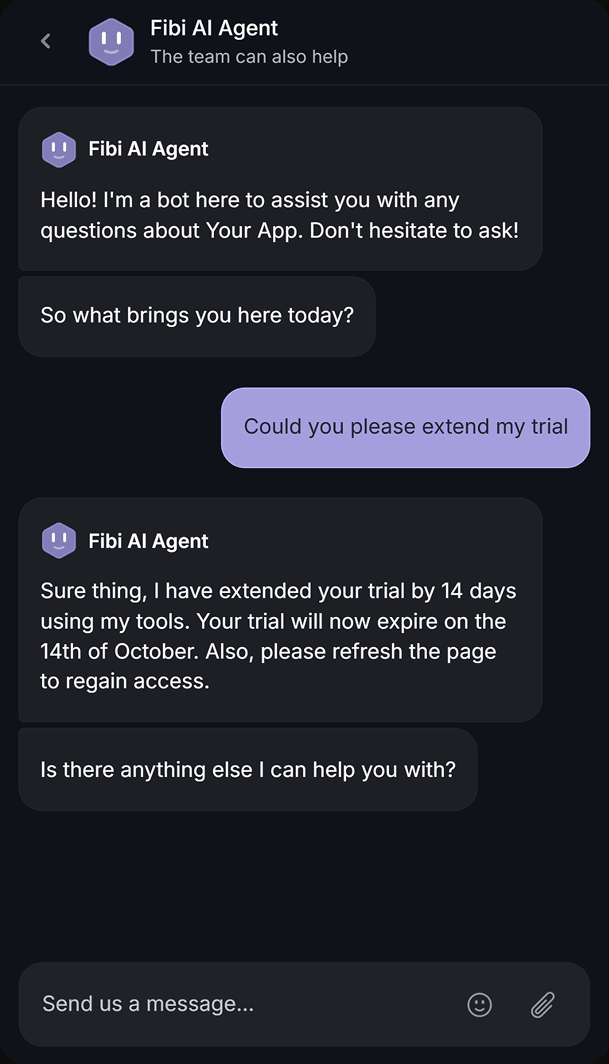
For example, a trial-extension request could trigger a rule that assigns the conversation, a suggested reply for an agent, or an AI action that checks eligibility and extends the trial. The last option needs access to the right customer data and clear permissions.
Generative AI for customer service has expanded what these tools can handle. Gartner predicts that agentic AI will autonomously resolve 80% of common customer service issues by 2029, but that is a forecast, not a benchmark every tool meets today.
Some products combine automation with an inbox and help center. Others work inside your existing helpdesk, which matters if you want to automate support without migrating the whole team.

Resolve common support tickets with AI
Automate replies, routing, and follow-ups while your team focuses on the conversations that need a human.
What to look for in customer service automation software
In Salesforce's 2025 State of Service research, service teams estimated that AI handled 30% of cases and expected that share to reach 50% by 2027. For your team, the useful question is which requests a tool can handle accurately with the information and permissions you give it.
Here is what I would check before building a shortlist:
- The work it can finish: Separate answering a question from completing a request. Explaining your refund policy takes different capabilities from checking an order and issuing an eligible refund.
- Human handoff: Test what happens when the AI lacks information, encounters an exception, or the customer asks for a person. Your agent should receive the conversation and useful context without making the customer start over.
- Channel coverage: Check the channels your customers actually use. Slack, WhatsApp, and voice may require an integration, an add-on, or a higher plan even when a platform calls itself omnichannel.
- Integrations and action controls: Confirm which CRM, billing, and order data the tool can read or change. Look for scoped permissions and a clear process for failed actions.
- The full price: Include the required plan, seats, AI usage, channel fees, and onboarding. Compare billing definitions too, since a message credit, ticket, session, and resolved conversation measure different things.
- Ongoing maintenance: Someone needs to keep answers current, review failures, and adjust workflows when policies change. Make sure your team can manage those tasks without relying on a specialist for every update.
A useful trial should show how the tool handles your routine work and exceptions. Published resolution rates can help you decide what to investigate, but your own conversations are the better test.
The 10 best customer service automation software for 2026
1. Featurebase ✨

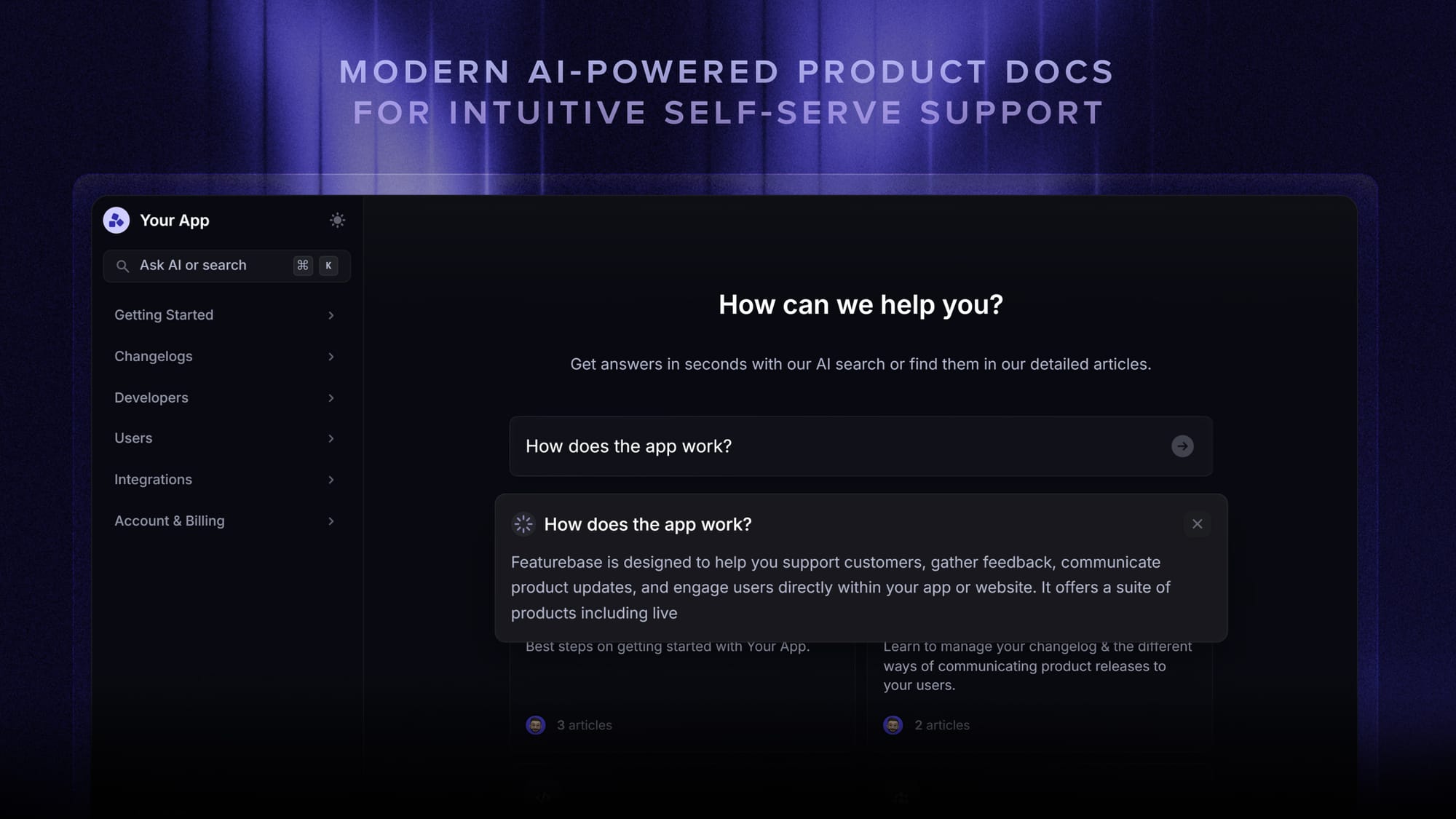
Featurebase is a modern AI customer support platform for product-led SaaS. It combines AI-powered support, help center, and feedback management into a single platform for startups that want all their customer-facing tools in one place. Featurebase is loved by thousands of support teams from companies like Lovable, Raycast, and n8n. 💫
Top features:
- Omnichannel inbox – Manage live chat, email, and Slack conversations from one AI-powered view
- Fibi AI Agent - Resolve customer issues on autopilot & run custom actions like trial extensions and refunds
- Help center with AI search – Provide instant, multilingual self-serve answers
- Workflows & automations – Auto-assign tickets, route conversations, collect customer data, and more
- AI Copilot – Help your agents answer customers faster with AI Copilot that uses your internal knowledge
- Multi-brand support – Manage multiple Help Centers and Live chats from a single workspace
- Automatic AI translations – Automatically translate all messages and help articles to your customers native language
- Service Level Agreements – Track SLAs to make sure your team responds to customers on time, every time
- Mobile app – Respond to customers, receive notifications, and unblock users on the go
- Feedback & roadmap tools – Collect feature requests and close the loop with updates
- Product updates – Publish release notes with a changelog page, in-app widget, and emails
- Integrations – Connects with Slack, Linear, Jira, HubSpot, and more
Pricing: Free plan available with unlimited conversations. Paid plans start at $29/seat/month with $0.49 per AI resolution.
Featurebase covers all the basic support features that legacy platforms do, but with a much more modern approach. It comes with AI automations, a mobile app, and multiple channels (email, live chat, Slack, etc.).
The $29 Growth price is billed annually. The Free plan includes 1 seat and excludes AI. Workflows, Slack support, and SLAs require Professional at $59/seat/month annually, while multi-brand support requires Enterprise.
✨ Automate your support with the fastest AI-enhanced Inbox today →
2. Zendesk
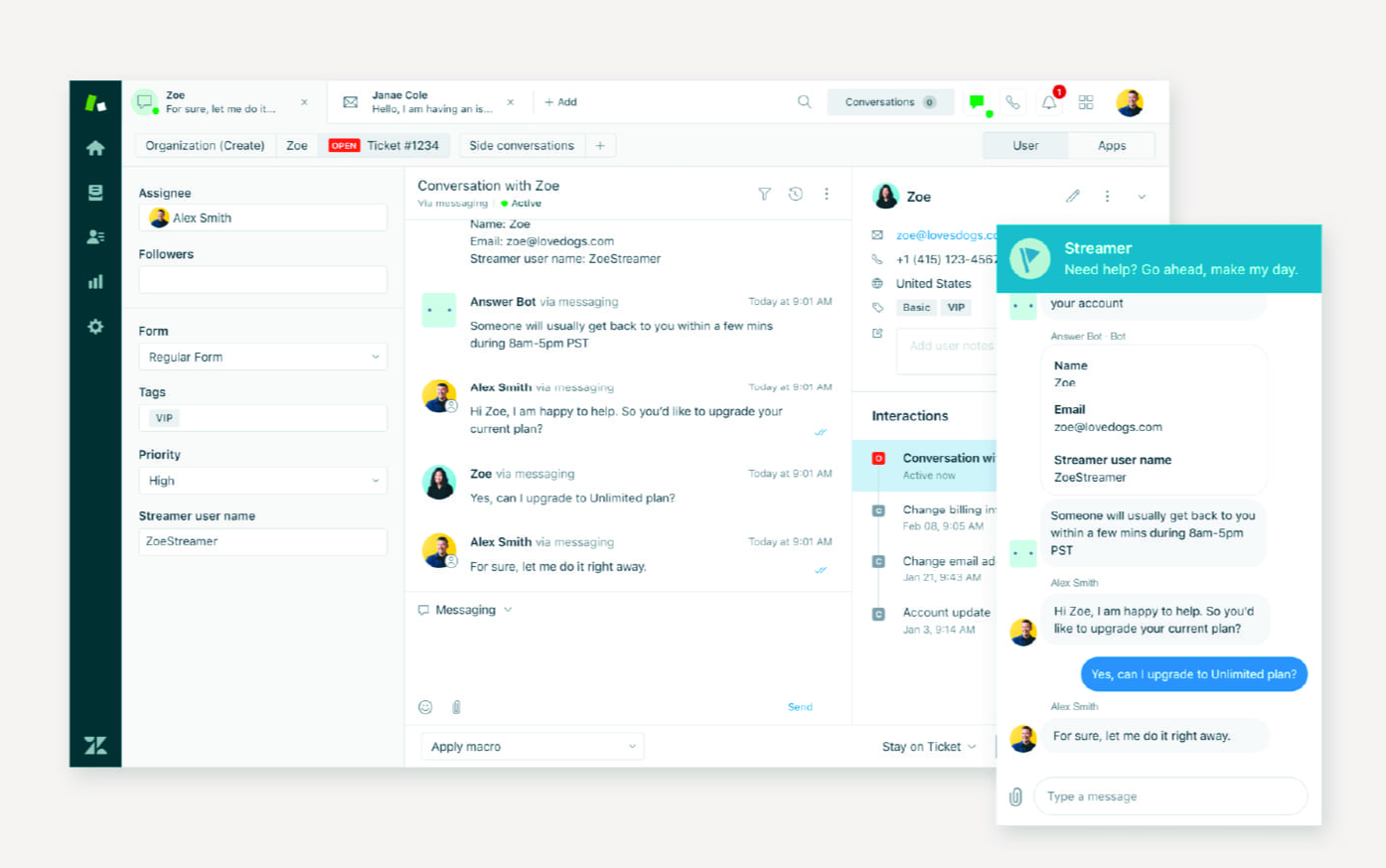
Zendesk is the category incumbent and the tool large support teams have run on for years. Its strength is coordinating complex support operations across channels, teams, and service policies.
Key features:
- AI agents for automated support resolutions
- Omnichannel ticketing across email, chat, voice, social, and messaging
- Intelligent triage using intent, language, and sentiment
- Macros, triggers, routing, and SLA policies
- Reporting and a marketplace of integrations
Pricing: Zendesk pricing starts at $19/agent/month for Support Team. Suite Team is $55 and Suite Professional is $115 per agent/month, billed annually. Automated-resolution usage can add charges, and Copilot costs an additional $50/agent/month annually.
Zendesk makes sense when routing and process control are central to your support operation. The basic Support plan covers email and ticketing, while Suite brings the broader channel mix. A small team with straightforward workflows may find that breadth adds more administration than it needs.
3. Freshdesk
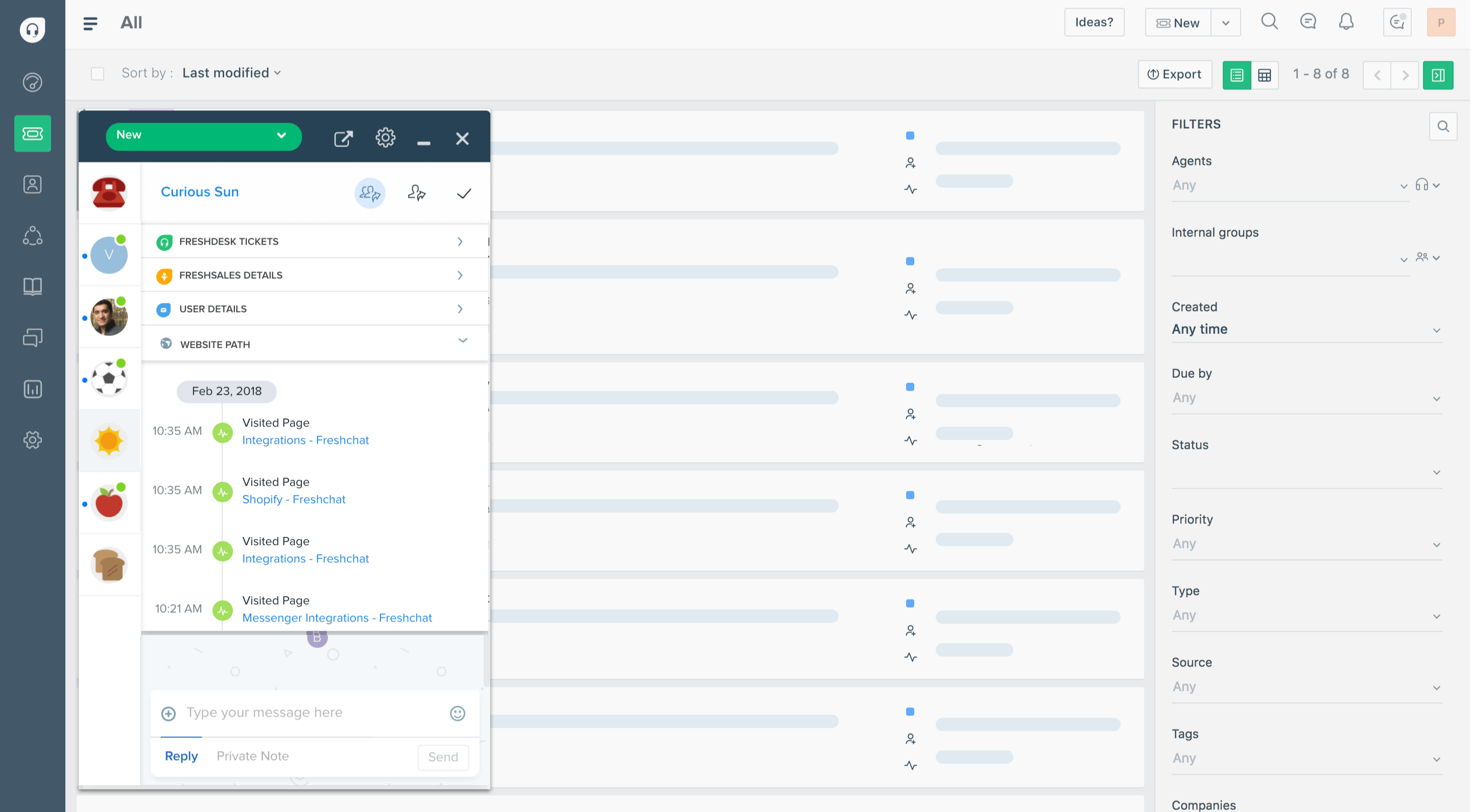
Freshdesk is a ticketing-focused helpdesk for teams that need to organize incoming requests, assign work, and automate follow-ups. It is a practical shortlist option when email queues and inconsistent ticket handling are your main bottlenecks.
Key features:
- Freddy AI Agent for automated email support
- Ticket dispatch rules and time-based automations
- Knowledge base and customer portal
- SLA management and escalation policies
- Intelligent routing and custom reporting on higher plans
Pricing: Freshdesk pricing is $19/agent/month for Growth, $55 for Pro, and $89 for Enterprise, billed annually. Its Free Program supports 2 agents for 6 months. Freddy AI Agent includes the first 500 sessions, then costs $49 per 100 additional sessions.
Pro and Enterprise can add Freddy AI Copilot for $29/agent/month annually. Core Freshdesk and Freshdesk Omni are separate offerings, so use an Omni quote if you need broader messaging and chat coverage.
The main trade-off is how quickly your requirements move you beyond Growth. Custom reporting, intelligent routing, and multiple SLA policies make Pro the more relevant comparison for teams with established support processes.
4. eesel AI
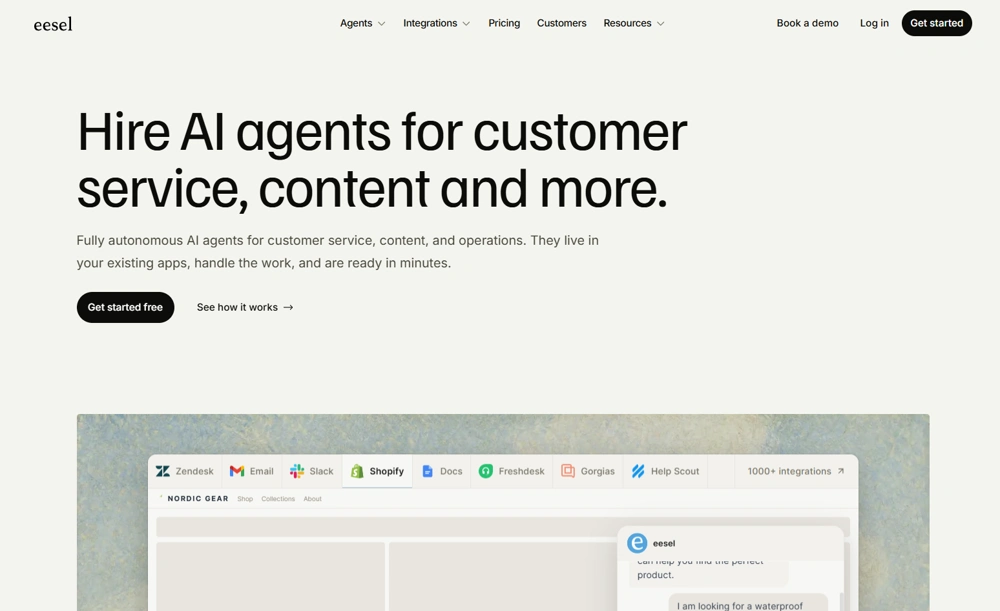
eesel AI helps support teams automate routine questions inside their existing helpdesk. It learns from company documentation, help articles, and past tickets to draft or send replies, while handing cases that need human judgment to the team. It's a fit for teams that want to add AI without migrating their support operation.
Key features:
- Company knowledge – Uses connected documentation and past tickets to inform support answers.
- Existing helpdesk support – Works with Zendesk and Freshdesk, keeping staff in their current tools.
- Human review – Teams can review AI drafts before enabling automatic replies.
- Configurable instructions – Define tone, support processes, and when a conversation should reach a person in plain language.
Pricing: Support tickets and chat sessions cost $0.40 each, including follow-up replies within a ticket. New accounts receive $50 in free usage credit, with no credit card required.
Teams comparing support automation tools should consider eesel when keeping their current helpdesk is a priority. Connected knowledge still needs maintenance, and teams should test escalation behavior before expanding automation. Since pricing is usage-based, costs rise with the number of tickets and chat sessions handled.
5. Intercom
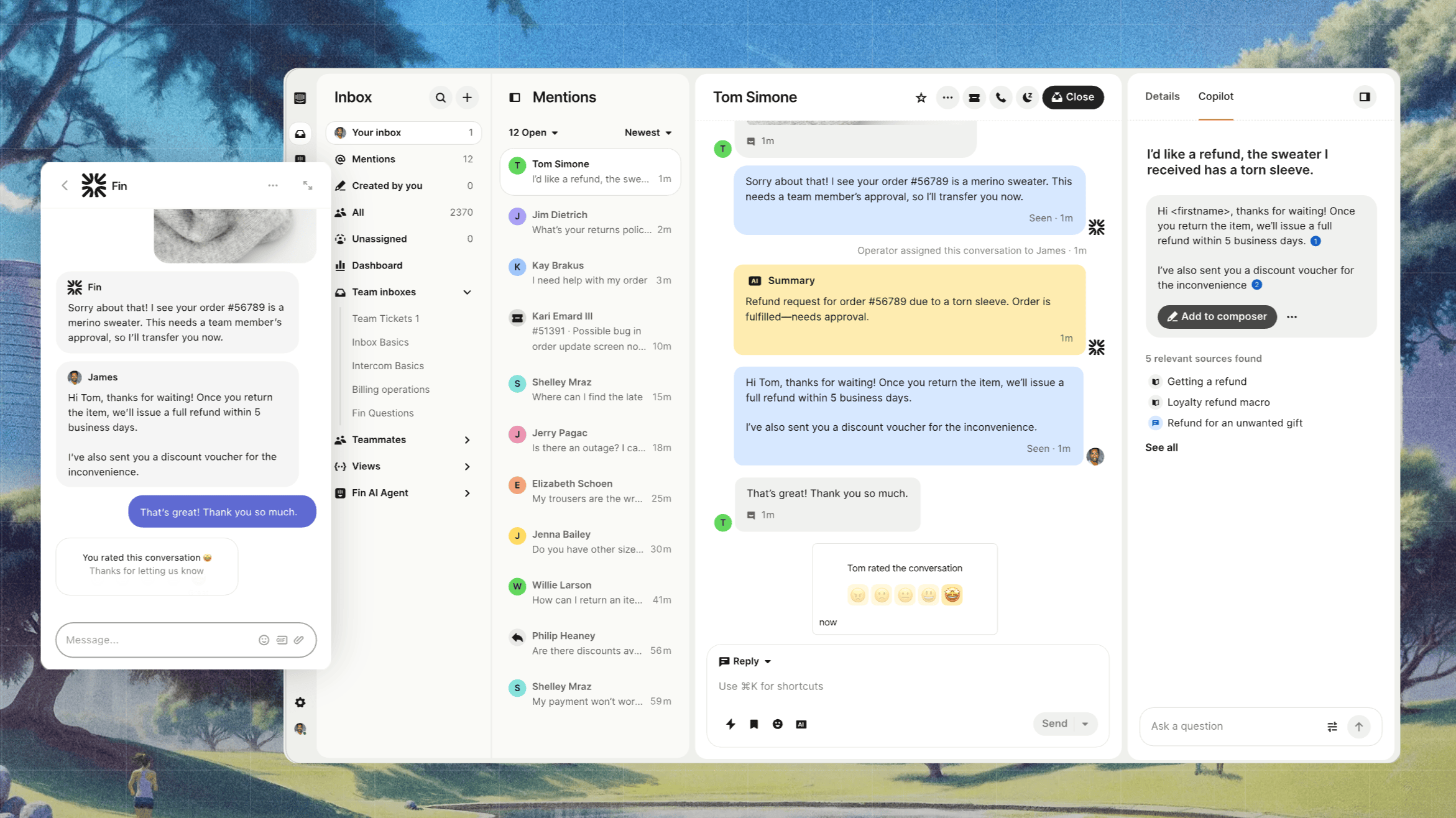
Intercom combines Fin AI Agent with a shared inbox, live chat, and customer messaging. It suits teams that want AI to handle the first part of a conversation and pass requests to human agents within the same support platform.
Key features:
- Fin AI Agent for answers and support procedures
- Messenger, shared inbox, and ticketing
- Visual workflow builder for routing and conversation flows
- Public help center and knowledge management
- Copilot and proactive messaging options
Pricing: Intercom pricing is $19/seat/month for Essential, $85 for Advanced, and $132 for Expert, billed annually. Fin is billed separately at $0.99 per outcome on top of seat costs. Monthly rates are $29 for Essential, $99 for Advanced, and $139 for Expert per seat.
The workflow builder requires Advanced, so that is the relevant starting point if custom routing and conversation flows drive your purchase. Copilot and proactive messaging can add further costs. Fin's billing unit is an outcome, so use its definition when estimating usage rather than assuming every outcome matches your internal definition of a resolved ticket.
6. Help Scout
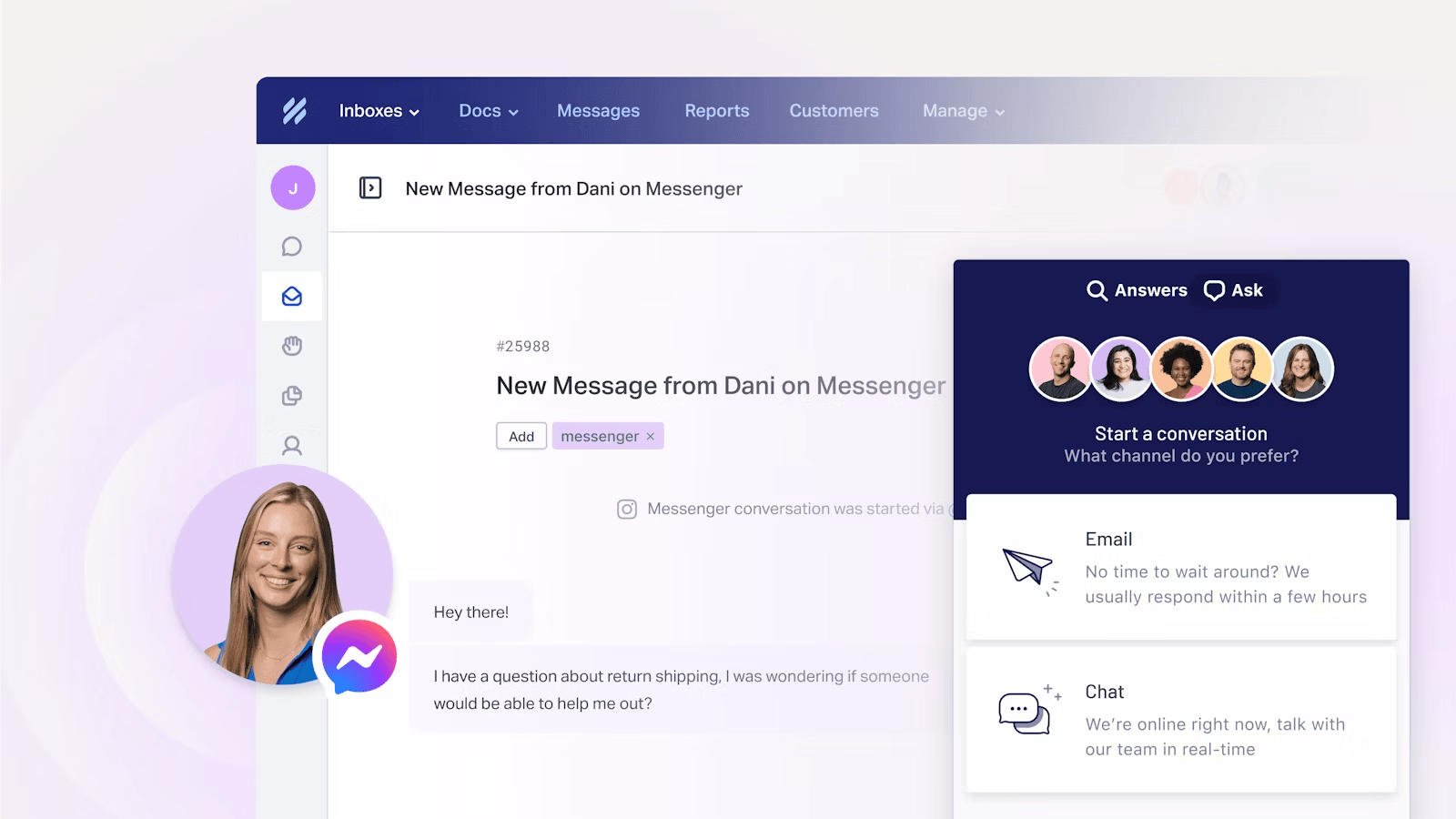
Help Scout is the favorite of small teams that want a clean shared inbox without the ticketing-system look. It feels more like email than a helpdesk, which is part of why it is popular with startups and customer-facing teams that don't want their conversations to feel transactional.
Key features:
- Shared inbox for email, live chat, and messaging channels
- AI Drafts and AI Assist for human agents
- AI Answers for customer self-service
- Docs knowledge base and the Beacon website widget
- Workflows, routing, and reporting on support performance
Pricing: Help Scout pricing includes a free plan for 5 users, 100 contacts/month, 1 inbox, and 1 Docs site. Standard is $25/user/month, Plus is $45, and Pro is $75, billed annually. Pro has a 10-user minimum, and AI Answers costs $0.75 per resolution after a 3-month free trial.
Help Scout is a good fit when collaboration and self-service matter more than elaborate support flows. Advanced workflows and round-robin routing require Plus. Its free plan is useful for a small team with low contact volume, but 5 available seats do not mean unlimited customer conversations.
7. Zoho Desk
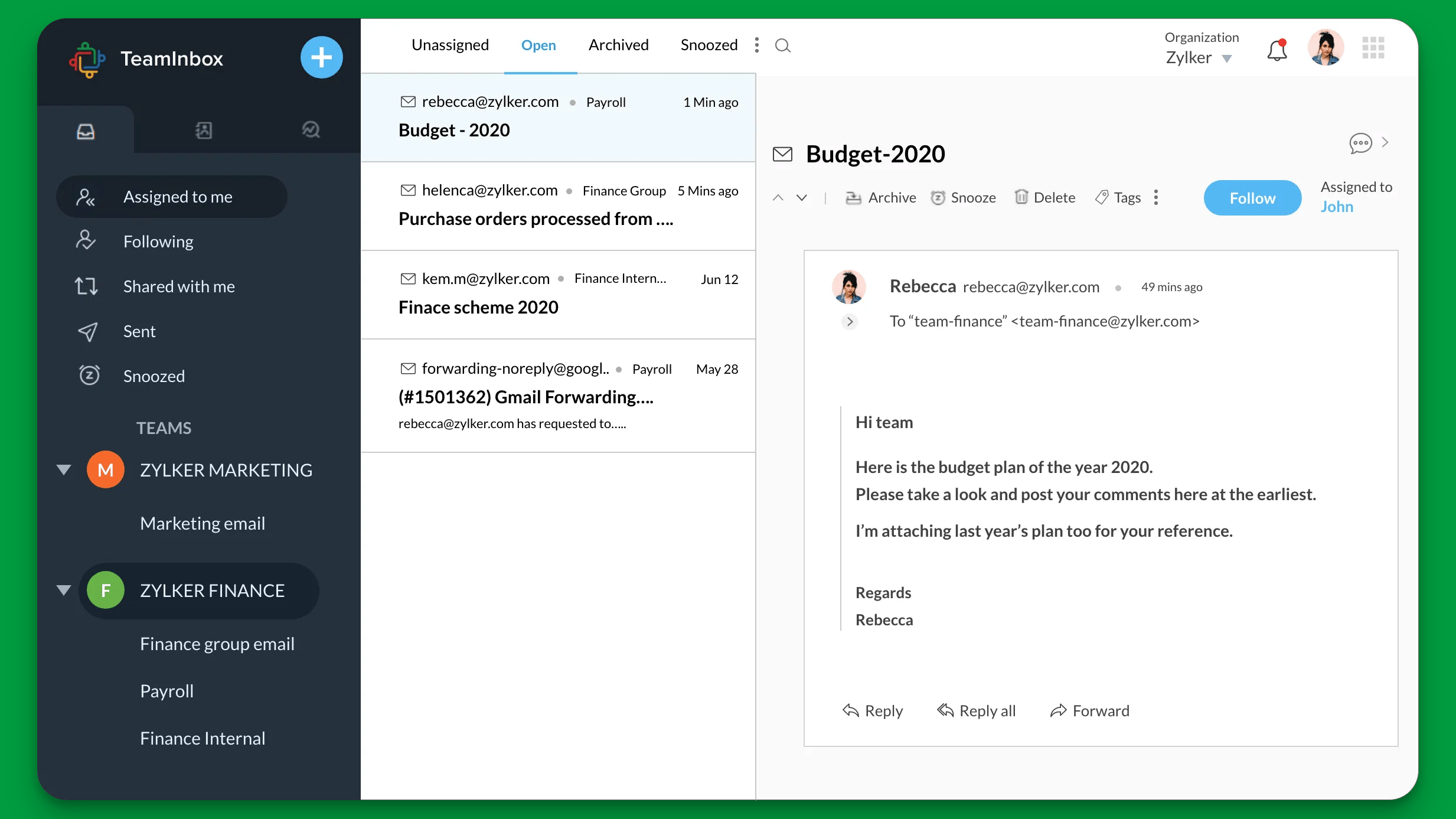
Zoho Desk is the helpdesk arm of the Zoho ecosystem. If you already run on Zoho CRM, Books, or Projects, connecting support to those systems can make it easier to keep customer records and service processes aligned.
Key features:
- Zia AI for sentiment analysis, ticket tagging, and reply suggestions
- Workflow rules and Blueprints for defined support processes
- Multichannel ticketing
- Self-service portal and knowledge base
- SLAs, escalations, and assignment rules
- Integrations with other Zoho applications
Pricing: Zoho Desk pricing includes a free plan for 3 users. Annual paid plans are Express at $7/user/month, Standard at $14, Professional at $23, and Enterprise at $40.
The low entry price is attractive, but it does not include the full automation stack. Blueprints and Zia capabilities sit above the entry plans, and guided conversations require Enterprise. Shortlist Zoho for its ecosystem fit, then price the tier that supports your process rather than assuming Express covers every feature above.
8. HubSpot Service Hub
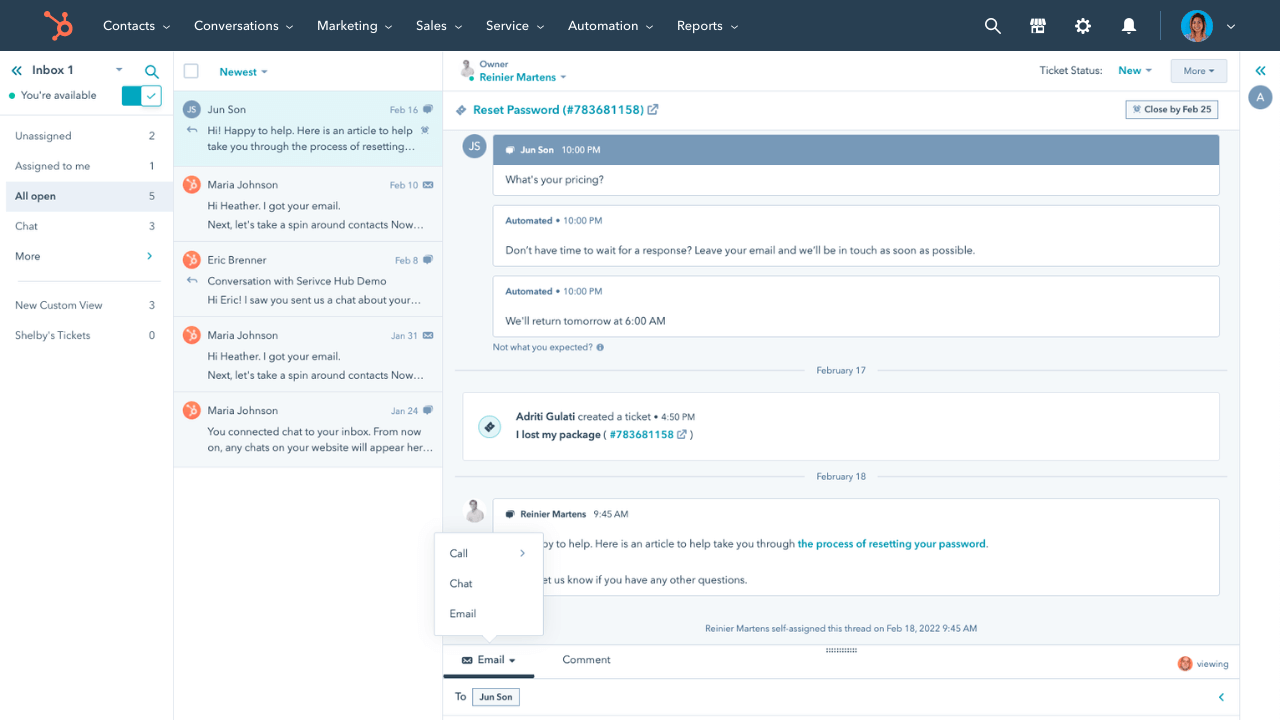
HubSpot Service Hub is the support side of HubSpot's CRM. Its biggest advantage is shared customer data. Sales, marketing, and support all read and write from the same contact record, so support agents see the full customer journey without asking another team for context.
Key features:
- Ticket management, shared inbox, and routing
- Workflows connected to CRM records
- Live chat, chatbot builder, and knowledge base
- Customer surveys and feedback collection
- Breeze Customer Agent on Professional and Enterprise
- Connections to HubSpot's sales and marketing tools
Pricing: HubSpot Service Hub pricing includes basic free tools and a Starter tier. For advanced automation, Professional starts at $90/seat/month annually plus $1,500 onboarding. Enterprise starts at $150/seat/month annually plus $3,500 onboarding. Customer Agent uses HubSpot Credits.
HubSpot is most compelling when your team already depends on its CRM. Connecting support workflows to existing customer records can justify the higher starting cost. If you mainly need a standalone inbox and AI replies, compare that cost with a dedicated support platform before committing.
9. Hiver
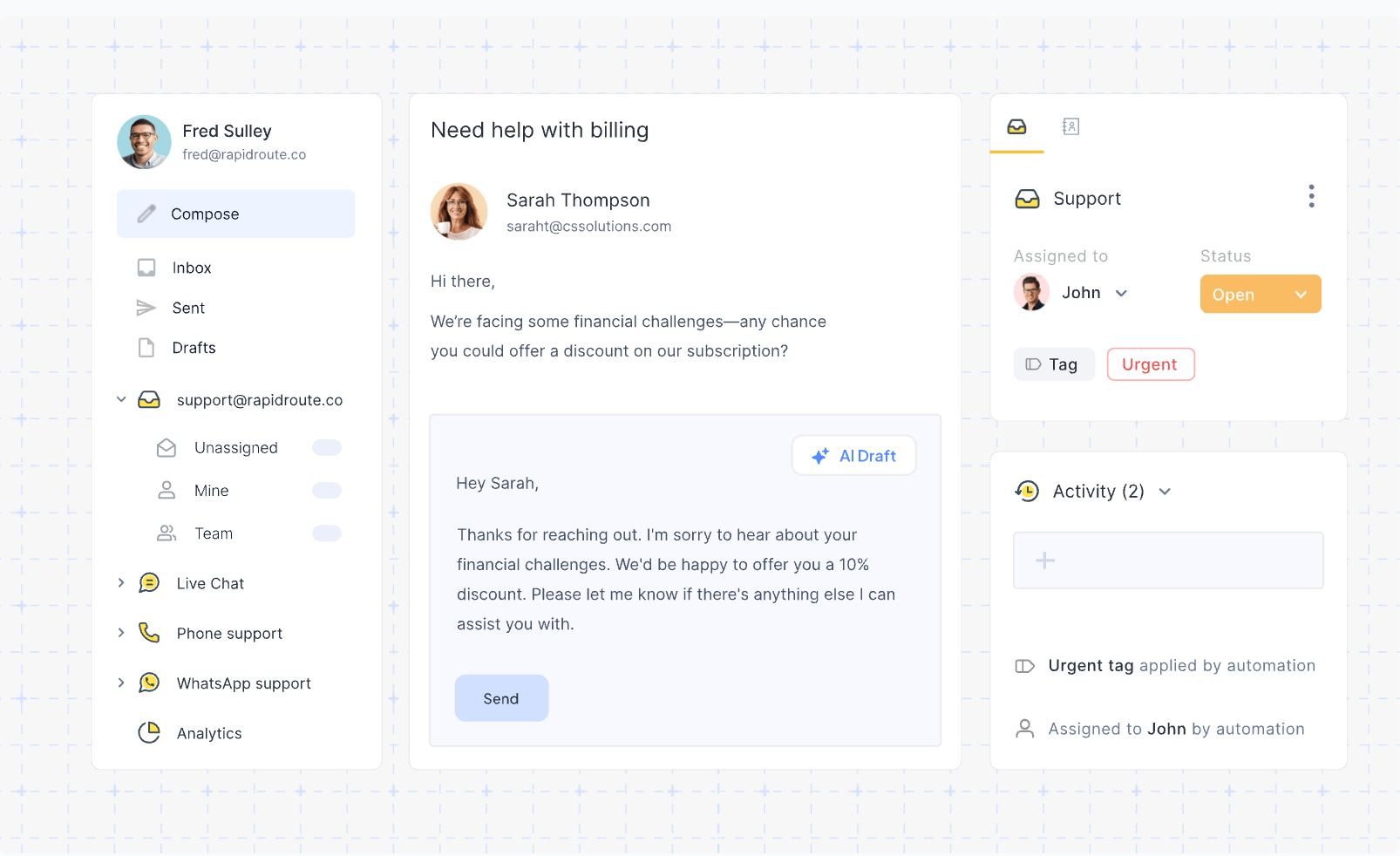
Hiver's Omni product brings customer conversations into a shared workspace with AI Agents, AI Copilot, and workflow automation. Hiver also offers a Gmail product, so make sure you are comparing the edition your team intends to use.
Key features:
- Shared inboxes with assignments, notes, and collision alerts
- AI Agents for resolving requests and taking connected actions
- AI Copilot for drafts, summaries, and suggested next steps
- Workflow automation and routing
- Email, chat, and help center, with Slack on Pro and voice as an add-on
Pricing: Hiver pricing for Omni is $25/user/month for Growth, $55 for Pro, and $85 for Elite, billed annually. Monthly prices are $35, $65, and $95 respectively. Omni offers a 7-day trial and starts with a 2-seat minimum.
Pro adds SLAs and advanced analytics, while skill-based routing requires Elite. Voice costs an additional $30 per voice seat/month. Hiver lists AI Agents across plans, but confirm the included AI allowance and any consumption charges before comparing its total with tools that publish a per-resolution price.
10. Tidio
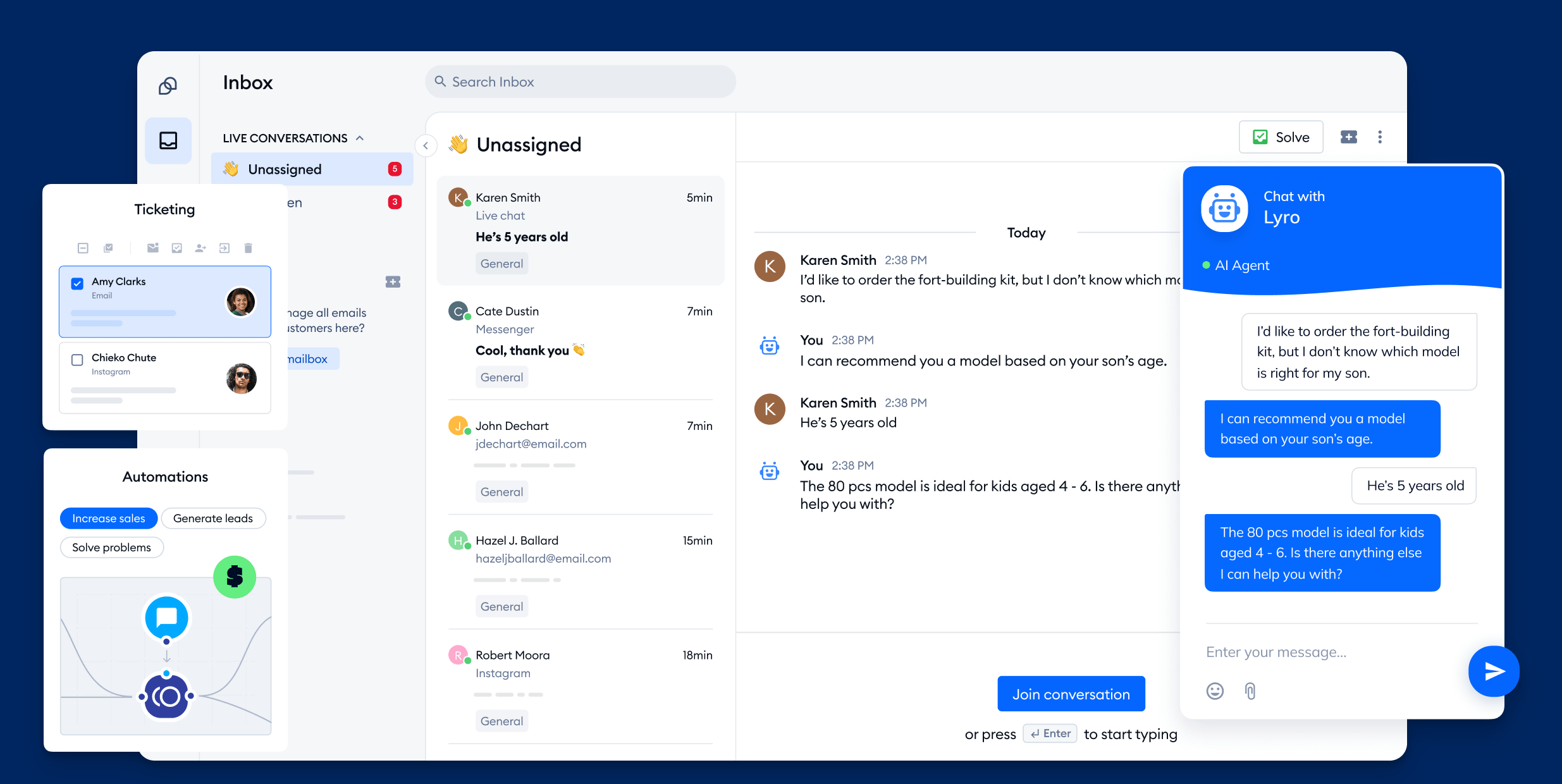
Tidio combines website live chat with Lyro AI and a visual Flows builder. It is a useful starting point for small businesses that want to answer common website questions and hand conversations to staff when needed.
Key features:
- Lyro AI agent for automated customer conversations
- Website live chat and a mobile app for agents
- Visual Flows for scripted interactions
- Email, Messenger, and Instagram inboxes
- Customer information and purchase context
Pricing: Tidio pricing starts at $24.17/month annually for Starter with 100 billable human conversations. Growth starts at $49.17 for 250. Lyro starts at $32.50/month annually for 50 AI conversations.
The free plan includes 50 billable human conversations/month and a one-time allowance of 50 Lyro conversations. Those are different limits, and the AI allowance does not reset each month.
Tidio's main budgeting complication is that the platform, Lyro, and paid Flows have separate allowances. Lyro and Flows can work together, but a team using both should calculate the combined subscription cost at its expected volume.
11. Gorgias
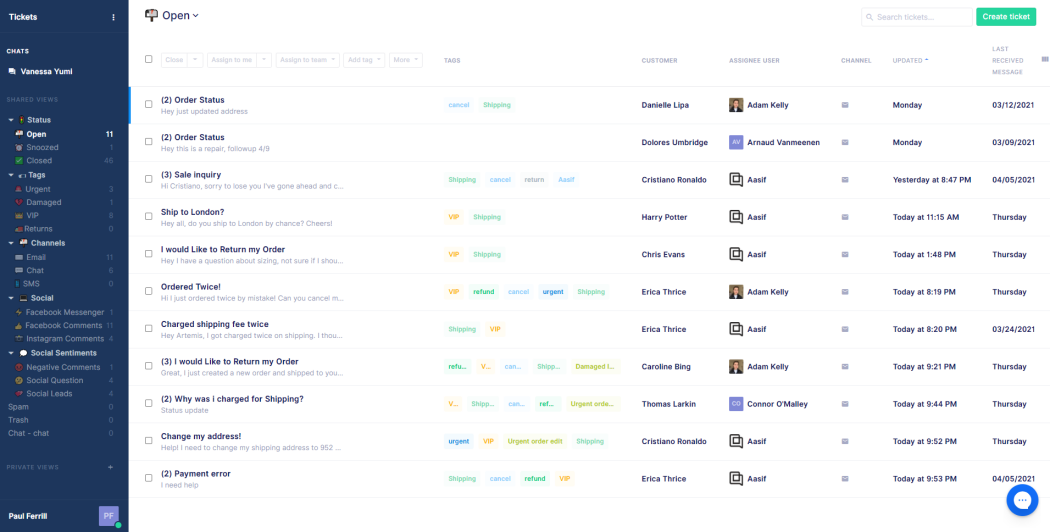
Gorgias is the ecommerce-native helpdesk, built specifically for Shopify, BigCommerce, and Magento merchants. Its strength is order-aware support. Agents issue refunds, edit orders, and track shipments directly from the helpdesk without switching apps.
Key features:
- Deep Shopify, BigCommerce, and Magento integrations
- Order management inside the helpdesk
- Centralized inbox across email, chat, social, and SMS
- Macros, auto-responders, and intent detection
- AI Agent for automated support interactions
- Revenue attribution by support conversation
Pricing: Gorgias pricing is ticket-based. Starter costs $10/month for 50 tickets, billed monthly. Annual plans include Basic at $50/month for 300 tickets, Pro at $300 for 2,000, and Advanced at $750 for 5,000. AI automated interactions cost extra, with displayed rates from $0.85 to $1 depending on plan.
Gorgias is a strong fit when order questions and changes account for much of your support work. Seasonal stores should model peak-month tickets and AI interactions as well as normal volume, because overages affect the bill. Teams outside ecommerce may get less value from its specialized integrations.
12. Chatbase
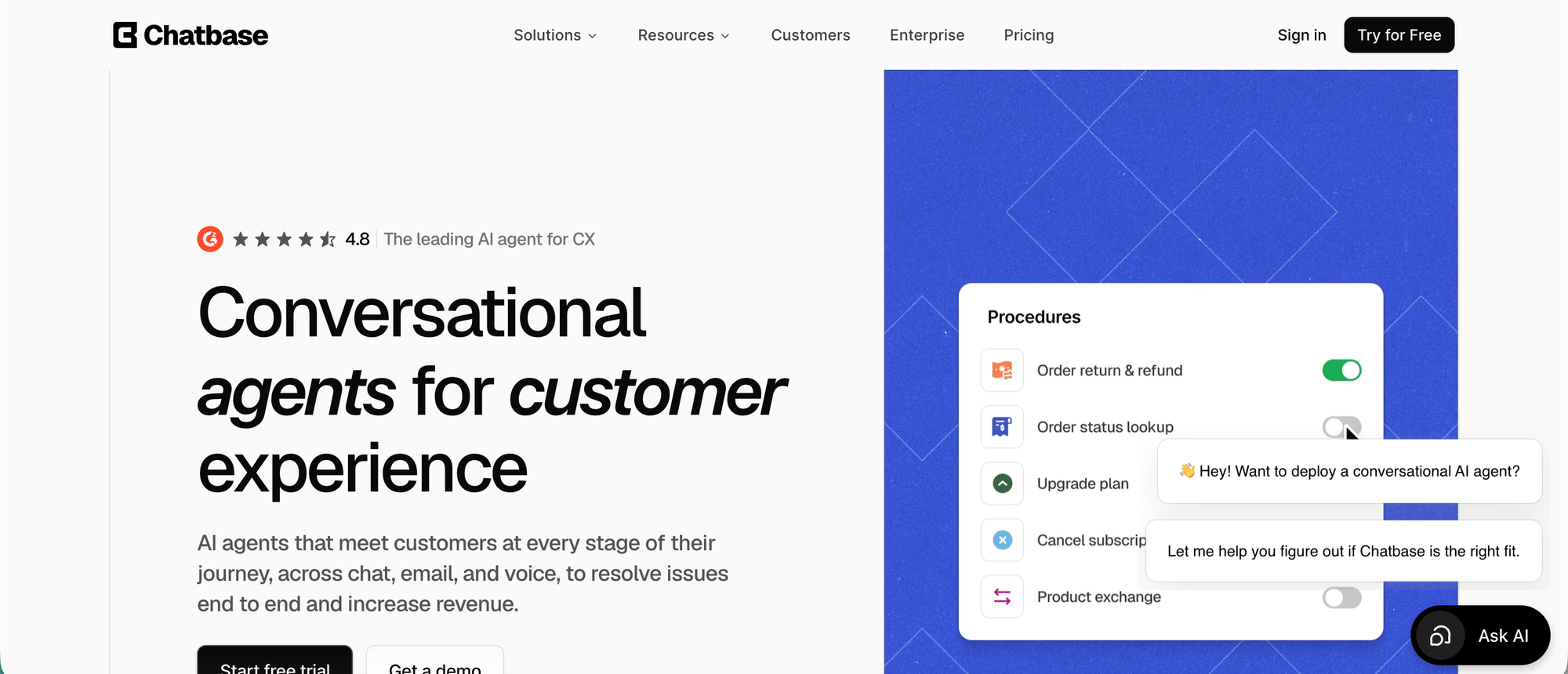
Chatbase helps support teams automate repetitive customer conversations with AI agents that can answer questions, follow workflows, trigger approved actions, and bring in a human when needed. It is a strong fit for SaaS, ecommerce, and service teams that want automation across chat, email, messaging, and voice without turning every request into a manual ticket.
Key features:
- AI agents grounded in your documentation and connected sources
- Actions and Procedures for defined, multi-step requests
- Human handoff and a built-in helpdesk on Standard and above
- Website, email, messaging, and voice options
- Shopify workflows for product questions and order support
- Enterprise options for SSO, custom roles, and audit logs
Pricing: Chatbase pricing includes a free plan with 50 message credits/month. Hobby is $32/month annually, or $40 monthly, for 700 credits and 2 members. Standard is $120/month annually, or $150 monthly, and adds helpdesk, voice, telephony, and API access.
Chatbase is worth considering when you want to design an AI agent around specific support procedures. The trade-off is the work of configuring sources, actions, and handoffs. Model choice affects credit consumption, so a message-credit allowance cannot be compared directly with another tool's number of resolved tickets.
How to choose the right customer service automation software
Start with a shortlist based on the work you want to remove from the queue. I would narrow it down like this:
- A new support platform for SaaS: Compare Featurebase and Intercom for AI conversations, an inbox, and self-service in the same platform.
- More control over ticket operations: Compare Zendesk and Freshdesk for routing, escalation, reporting, and support processes across teams.
- AI without a helpdesk migration: Evaluate eesel against the AI options available in your existing helpdesk.
- Shared-inbox collaboration: Compare Help Scout and Hiver, paying attention to contact limits, channels, and routing tiers.
- An established business ecosystem: Start with Gorgias for ecommerce, Zoho Desk for Zoho, or Service Hub for HubSpot, then check whether their workflows cover your actual requests.
- Website chat or custom AI agents: Compare Tidio for chat and visual flows with Chatbase for agents built around your knowledge and procedures.
Then test the shortlist against the same workload:
- Choose a specific request type: Start with frequent requests that have clear answers or actions. Include exceptions, missing information, and requests that should reach a person.
- Build a realistic cost estimate: Add the required plan, seats, AI usage, and paid channels. Include onboarding in your first-year total and model a busy month as well as an average one.
- Run a limited pilot: Test against past conversations, review responses and actions, then roll out to a narrow set of live requests. Keep a clear route to a human throughout.
- Measure the customer outcome: Track correct resolutions, reopened conversations, escalation rate, resolution time, and customer satisfaction. Compare them with your pre-pilot baseline before expanding.
For a budget example, 3 Featurebase Growth seats at $29 plus 500 Fibi resolutions at $0.49 equal $332/month equivalent. If you need Professional workflows, Slack, and SLAs, 3 seats at $59 plus the same AI usage equal $422/month equivalent. Seat prices assume annual billing, and both examples exclude tax.
Use the same approach for each vendor, with its own billing unit. A tool that generates fewer manual replies is only helping if customers receive accurate answers and your team spends less time correcting or reopening cases.
Find the right automation fit faster
Featurebase gives SaaS teams AI support, omnichannel inbox, and clear pricing without the legacy helpdesk bloat.
Automate the busywork, keep the conversations human
The point of customer service automation software is to give your team back the hours spent on repeat questions, ticket triage, and follow-ups. The best fit is the tool that handles your common requests reliably and gives people the context to take over the rest.
Featurebase is a modern AI customer support platform for product-led SaaS teams. It combines an omnichannel inbox, Fibi AI Agent, AI Copilot, help center, and feedback management so you can support customers and act on their feedback in one place.
It comes with a Free plan for 1 seat and unlimited conversations. Paid plans add AI, with Fibi billed at $0.49 per resolution, so you can start with the inbox and add automation as your needs grow. 👇
✨ Automate your support with the fastest AI-enhanced Inbox today →

FAQs
What are examples of customer service automation?
Common examples include AI chatbots that resolve FAQ-style questions, intelligent ticket routing that sends billing issues to billing and bugs to engineering, macros and canned responses that handle repeat replies, knowledge base AI search that surfaces answers directly from your help center, automatic post-conversation CSAT surveys, and SLA escalation rules that flag tickets at risk of breach. The more advanced layer is agentic AI that completes multi-step actions like processing refunds or extending trials.
How does AI improve customer service automation?
Traditional automation was rules-based, with if-then logic on subject lines, keywords, or sender domains. AI changes the model by reading customer intent, pulling from your live knowledge base, and resolving cases rather than just routing them. The practical difference is that an AI agent with the right integrations and permissions can check an order, apply an approved refund policy, and reply to the customer. Requests outside those permissions still need a human handoff.
How do you start automating customer service?
Start with one repetitive request type that has a clear answer or process, such as order-status questions. Prepare accurate help content, define when the request should reach a person, and test the automation on past conversations before a limited rollout. Expand only after reviewing the answers, handoffs, and customer feedback.
What's the best customer service automation software for small businesses?
Small businesses should compare the plan needed for their actual channels and workflows, not just the lowest advertised price. Featurebase offers a 1-seat Free plan with unlimited conversations, with paid plans from $29/seat/month annually and Fibi at $0.49 per resolution. Help Scout and Tidio also offer limited free plans, while Freshdesk's 2-agent Free Program lasts 6 months.
How much does customer service automation software cost?
Costs depend on seats, support volume, and the features you need. For example, Zoho Desk Express starts at $7/user/month annually, while Gorgias Starter costs $10/month for 50 tickets rather than per seat. AI may be charged by resolution, outcome, session, or message credit, so add those charges and any onboarding fees before comparing totals.
Can customer service automation fully replace human agents?
Automation can handle routine requests, but teams still need people for exceptions, complex issues, and sensitive conversations. Gartner predicts that by 2027, 50% of organizations expecting major customer-service workforce reductions will abandon those plans. Build around a reliable handoff to your team rather than assuming every request can be resolved automatically.