Blog ComparisonsZoho Desk Pricing 2026: Plans, AI Costs & Agent Limits
Zoho Desk Pricing 2026: Plans, AI Costs & Agent Limits
Compare Zoho Desk’s Free, Express, Standard, Professional, and Enterprise plans, including monthly prices, AI charges, limits, and real team costs.


✨ Psst... Looking for a modern alternative to Zoho Desk? Check out Featurebase →
If you're shopping for a help desk/ticketing system and a way to create better customer relationships, Zoho Desk is bound to come up frequently in your research.
Compared to other help desk software, Zoho Desk offers seemingly lower prices and a wider choice of plans. But just like it is the case with their major competitors, Zoho Desk pricing isn't all that straightforward.
This is why we'll show you how much Zoho Desk costs and what you get in each plan. 👇
Key takeaways
- Zoho Desk has 5 plans: Free, Express, Standard, Professional, and Enterprise. Paid plans start at $7 per user/month with annual billing or $9 with monthly billing.
- The cheapest plans limit users: Free supports 3 users, and Express supports 5. Standard and higher plans remove that cap, but you still pay for each full agent.
- Annual and monthly prices differ: Standard costs $14 per user/month billed annually, compared with $20 billed monthly. Compare the full commitment before choosing.
- AI is available across paid plans: The features, model options, and usage charges depend on your edition and how you use AI.
- Seats aren't the whole budget: Light agents, AI usage, messaging charges, and taxes can add to the subscription.
What is Zoho Desk?
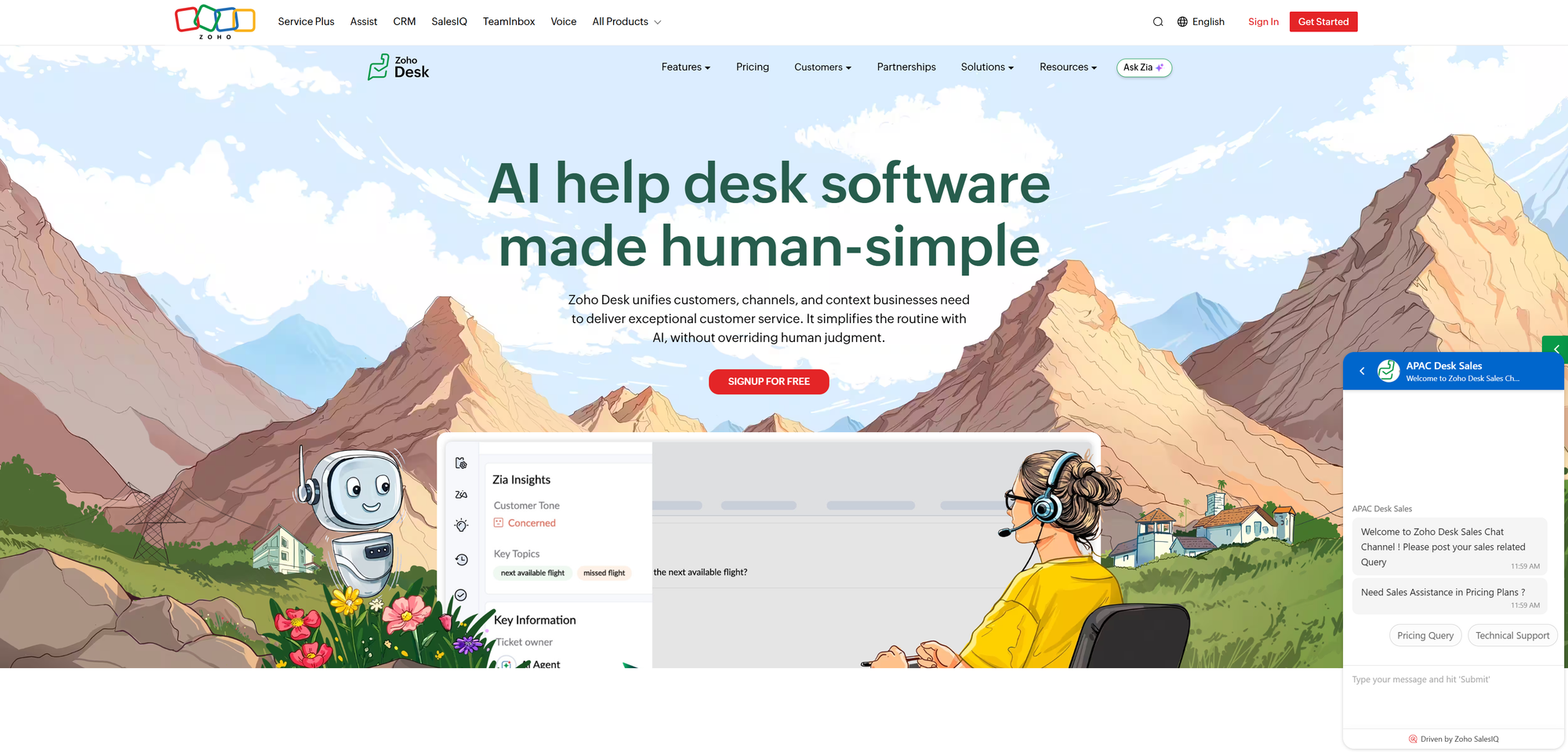
Zoho Desk is a customer support platform that turns incoming requests into tickets, helps agents collaborate, and tracks support performance. Depending on the plan, it also includes messaging channels, knowledge bases, workflow automation, and AI assistance.
It can make sense if your team already uses Zoho products and wants customer information connected to support conversations. But the plan you need depends on how you handle support, especially your channels, automation, and self-service requirements.
Zoho Desk pricing in 2026
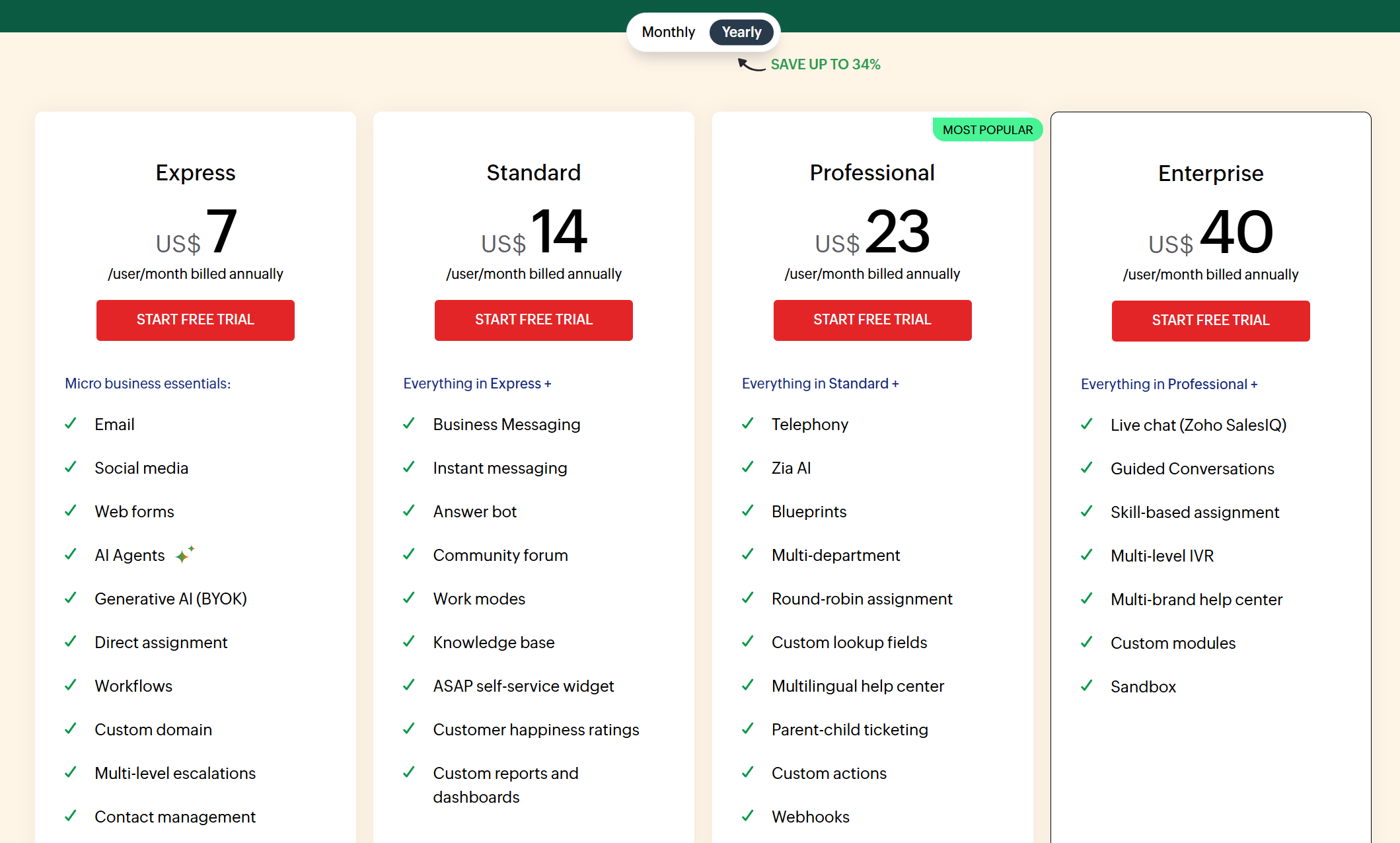
Zoho Desk offers 4 paid plans alongside its Free edition. Here's the subscription pricing in USD per user/month:
| Plan | Billed annually | Billed monthly | User limit |
|---|---|---|---|
| Free | $0 | $0 | 3 users |
| Express | $7 | $9 | 5 users |
| Standard | $14 | $20 | Unlimited paid users |
| Professional | $23 | $35 | Unlimited paid users |
| Enterprise | $40 | $50 | Unlimited paid users |
The annual column shows the monthly equivalent of a yearly subscription. Local taxes are extra, and regional prices may use a different currency. “Unlimited users” means there's no plan-level cap, not that additional agents are free.
1. Free plan
If you want to test out Zoho Desk with your customer support team, the Free plan gives you up to 3 agents.
It covers basic email ticketing, ticket history, tags, and internal notes. Agents also get a private knowledge base for sharing information internally.
The distinction between a private and public knowledge base matters. Free doesn't give you the public self-service help center available on Standard and above, so it won't cover a customer-facing documentation requirement on its own.
Free includes basic notification rules, 2 macros, and a default SLA. More flexible automation and service-level controls require a paid plan.
Best for: A support workflow centered on email, with no more than 3 agents and straightforward ticket management needs.
2. Express plan
Express costs $7 per user/month billed annually or $9 billed monthly, with a maximum of 5 users.
It adds useful improvements over Free:
- Social-channel ticket capture
- Customer happiness ratings
- Ticket merging, splitting, and suggested articles
- Basic assignment and workflow rules
- Business hours and prebuilt reporting
Express is a reasonable step up when you want more structure around incoming tickets. But its user cap and lack of a public knowledge base can make Standard the more practical starting point.
Express also supports generative AI through your own provider key. That doesn't mean all Zia features or AI usage are included in the subscription.
Best for: An email and social support workflow that needs basic automation and will stay within 5 full agents.
3. Standard plan
Standard costs $14 per user/month billed annually or $20 billed monthly and removes Express's user cap.
It adds a public knowledge base, instant messaging channels, and more automation. You get 5 macros, 5 workflow rules per module, and 5 time-based rules, along with more flexible SLA management.
For customer-facing self-service and messaging, this is the first plan I'd evaluate. Business Messaging live chat starts here, with 1 channel on Standard, so you don't automatically need Enterprise to offer chat.
Standard supports generative AI through a provider key and includes access to features such as Answer Bot. However, advanced AI capabilities and deployment options still vary by edition.
Best for: A support team that needs a public help center, messaging, and everyday automation without a fixed user cap.
4. Professional plan
Professional costs $23 per user/month billed annually or $35 billed monthly.
The main reason to upgrade is a more involved support process. It adds multiple departments, round-robin ticket assignment, ticket sharing, and a multilingual knowledge base.
You also get Blueprint process automation, which guides tickets through defined stages and required actions. Professional includes 1 active Blueprint per department, so map out your processes before assuming every workflow can have its own Blueprint.
Professional also offers native generative AI alongside the bring-your-own-key option. If you're upgrading specifically for AI, test the exact feature you need during the trial rather than treating “Zia” as one bundled capability.
Best for: Support operations that need departmental workflows, more advanced routing, and structured ticket processes.
5. Enterprise plan
Enterprise costs $40 per user/month billed annually or $50 billed monthly.
It expands process automation to 20 active Blueprints per department and adds capabilities such as multi-brand help centers, automatic knowledge base translation, sandboxing, and more advanced controls.
It also includes 50 light agents for internal collaboration. These aren't interchangeable with full agents who reply to customers, but they can matter if product, engineering, or other teams need ticket context.
The live chat option through Zoho SalesIQ sits on Enterprise, while Business Messaging live chat is available on lower plans. Enterprise also offers prebuilt Zoho Desk AI agents, with regional availability restrictions.
Best for: Support operations that need multiple brands, more complex processes, and wider internal collaboration.
What costs extra with Zoho Desk?
Your subscription is the starting point. Before comparing Zoho Desk with another platform, account for the people and usage that sit outside full agent seats.
Light agents
Light agents give colleagues limited access to ticket context without making them full customer-facing agents. They're useful when an engineer needs to help investigate an issue or a product manager needs to understand a recurring problem.
Zoho lists light agents at $6 per light agent/month as an add-on for Standard and Professional. Enterprise includes 50, with additional light agents charged separately.
Don't count a light agent as a replacement for someone who needs to own conversations and respond to customers. Work out which colleagues need which type of access before estimating your seat bill.
AI features and usage
Zoho's AI pricing has a few different parts:
- Bring your own key: Express and Standard support generative AI using your provider key. The provider bills the usage, so the Desk subscription doesn't cover those charges.
- Native generative AI: Professional and Enterprise offer native AI as well as provider-key options. Included functionality depends on the specific feature and edition.
- Zia Agent Studio: Custom agents have their own model and usage rules. Zoho-hosted Standard models include 30 million tokens per month, with additional usage priced at $1 per million tokens. Other model options have different allowances or charges.
That token allowance belongs to the relevant Agent Studio model option. It isn't a promise of unlimited customer resolutions across every Desk AI feature.
When comparing AI customer support software, check both what the AI can do and what triggers a charge. Tokens, sessions, and resolved conversations measure different things.
Messaging and phone charges
Access to a channel doesn't necessarily include the cost of using it. WhatsApp usage can carry separate charges, and connected phone services can have their own subscription or calling costs.
Include your expected channel usage in the comparison. A low seat price won't tell you the full bill if a large share of your support happens through paid messaging or voice services.
Taxes and implementation time
Zoho adds applicable local taxes to its listed prices. Use the amount for your billing location when preparing the budget.
There's also the work of migrating tickets, organizing help articles, and building automation. That isn't necessarily a Zoho fee, but it still takes time from your team. Test a real support workflow before committing to annual billing.
What would your team pay?
Here are 3 subscription-only examples. They exclude taxes, light agents, AI usage, and messaging or phone charges.
5 users on Express
Annual subscription: 5 users × $7 × 12 months = $420/year, equivalent to $35/month.
Monthly billing: 5 users × $9 = $45/month.
This uses every available Express seat. If you expect to add a 6th agent, compare Standard before choosing an annual subscription.
10 users on Standard
Annual subscription: 10 users × $14 × 12 months = $1,680/year, equivalent to $140/month.
Monthly billing: 10 users × $20 = $200/month.
Annual billing saves $720 compared with paying monthly for 12 months. That saving is useful if the plan already covers the channels and automation you need.
10 users on Professional
Annual subscription: 10 users × $23 × 12 months = $2,760/year, equivalent to $230/month.
Monthly billing: 10 users × $35 = $350/month.
Moving from Standard to Professional adds $1,080 to the annual subscription for these 10 users. Decide whether the extra routing, departments, and Blueprint functionality solve a problem worth that difference.
How does Zoho Desk compare against its main competitors?
Zoho's base seat prices are competitive, but the alternatives use different packages and AI billing models. This table separates the advertised entry price from the conditions that affect your budget.
| Tool | Starting paid cost | Billing basis | AI or add-on caveat | Best fit |
|---|---|---|---|---|
| Featurebase | $29/seat/month | Billed annually | Fibi costs $0.49/resolution | Support, feedback, and communication in one place |
| Zendesk | $19/agent/month for Support Team | Billed annually | Suite Team starts at $55, with a different feature package | Detailed ticketing and support workflows |
| Freshdesk | $19/agent/month | Billed annually | Freddy AI has separate usage and add-on pricing | Ticket-focused support operations |
| Help Scout | $25/user/month | Billed annually | AI Answers costs $0.75/resolution | Shared inbox and help center workflows |
| Intercom | $29/seat/month | Billed annually | Fin costs $0.99/outcome | Messenger-led support and AI automation |
| Front | $25/seat/month | Billed annually | AI packaging varies by plan and add-on | Collaborative customer communication |
| Kayako | $1/resolved ticket for Kay AI | Usage-based AI pricing | Kayako One platform pricing requires a quote | Teams evaluating resolution-based AI |
Kayako's AI rate is not a like-for-like full-platform seat price. Likewise, Zendesk Support Team and Suite Team shouldn't be treated as the same package.
1. Featurebase ✨
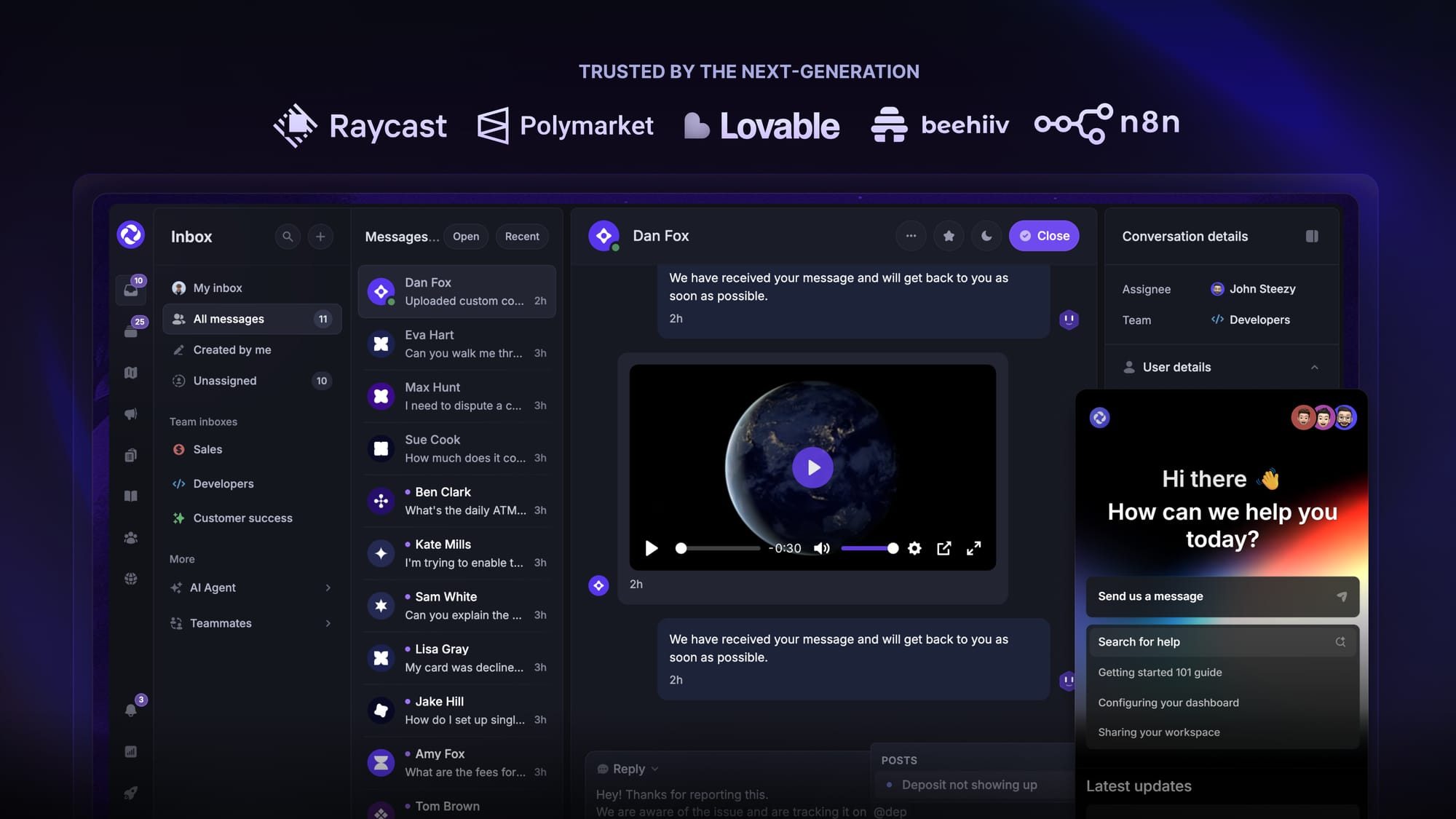
Featurebase is a modern AI customer support platform for product-led SaaS. It combines AI-powered support, help center, and feedback management into a single platform for startups that want all their customer-facing tools in one place. Featurebase is loved by thousands of support teams from companies like Lovable, Raycast, and n8n. 💫
Top features:
- Omnichannel inbox – Manage live chat, email, and Slack conversations from one AI-powered view
- Fibi AI Agent - Resolve customer issues on autopilot & run custom actions like trial extensions and refunds
- Help center with AI search – Provide instant, multilingual self-serve answers
- Workflows & automations – Auto-assign tickets, route conversations, collect customer data, and more
- AI Copilot – Help your agents answer customers faster with AI Copilot that uses your internal knowledge
- Multi-brand support – Manage multiple Help Centers and Live chats from a single workspace
- Automatic AI translations – Automatically translate all messages and help articles to your customers native language
- Service Level Agreements – Track SLAs to make sure your team responds to customers on time, every time
- Mobile app – Respond to customers, receive notifications, and unblock users on the go
- Feedback & roadmap tools – Collect feature requests and close the loop with updates
- Product updates – Publish release notes with a changelog page, in-app widget, and emails
- Integrations – Connects with Slack, Linear, Jira, HubSpot, and more
Pricing: Free plan available with unlimited conversations. Paid plans start at $29/seat/month with $0.49 per AI resolution.
The $29 rate is for Growth with annual billing. Pro costs $59 and Enterprise costs $99 per seat/month annually. Features vary by plan, and the Free plan includes 1 seat without Fibi AI.
Featurebase covers all the basic support features that legacy platforms do, but with a much more modern approach. It comes with AI automations, a mobile app, and multiple channels (email, live chat, Slack, etc.).
2. Zendesk
Zendesk pricing starts at $19 per agent/month for Support Team with annual billing. Suite Team starts at $55, Suite Professional at $115, and enterprise packages require a quote.
The $19 entry point is a different package from the omnichannel Suite. Compare the package your team actually needs before putting Zendesk's starting price next to Zoho's.
3. Freshdesk
Freshdesk's annual rates are $19 per agent/month for Growth, $55 for Pro, and $89 for Enterprise. AI features can introduce separate charges.
It's another option for ticket-focused support, but Zoho Standard has a lower base rate than Freshdesk Growth. For a closer comparison, consider the automation and channel requirements in Freshdesk vs. Zoho Desk.
4. Help Scout
Help Scout costs $25/$45/$75 per user/month for Standard, Plus, and Pro with annual billing. Monthly billing raises those rates to $30/$54/$90, and Pro requires at least 10 users.
It's worth evaluating for a shared inbox and help center workflow. AI Answers adds $0.75 per resolution, so include that usage when comparing it with Zoho's AI options.
5. Intercom
Intercom pricing starts at $29 per seat/month for Essential with annual billing. Advanced costs $85 and Expert costs $132, with Fin charged separately at $0.99 per outcome.
Intercom is worth comparing if the messenger and AI agent are central to your support experience. Estimate seat costs and Fin usage separately rather than treating the seat price as an all-inclusive total.
6. Front
Front's annual rates are $25 per seat/month for Starter, $65 for Professional, and $105 for Enterprise. AI capabilities depend on the plan and add-ons.
Its collaborative inbox is worth considering when several teammates regularly work together on customer conversations. Check the required plan for your channels, routing, and AI workflow.
7. Kayako
Kayako advertises its Kay AI agent at $1 per resolved ticket. Its full Kayako One platform requires a quote, so the AI rate shouldn't be presented as the price of the whole helpdesk.
Request a breakdown of the platform and AI costs before comparing it with Zoho's seat-based plans.
Is Zoho Desk worth it?
Zoho Desk is worth considering if you need affordable ticketing and already use the Zoho ecosystem. I'd start with Standard for public self-service and messaging, move to Professional for departmental processes, and choose Enterprise only when its specific capabilities justify the upgrade.
Before committing, compare the full workflow with Zoho Desk alternatives, including the channels, AI usage, and internal collaborators you'll need.
Featurebase is a modern Zoho Desk alternative for software teams whose customer base is growing faster than their support capacity. It brings AI-powered support, a help center, feedback management, and product updates together, helping your team handle routine questions and keep customer context in one place.
It comes with a Free plan, and the onboarding is super fast, so there's no downside to trying it out! 👇
✨ Automate your support with the fastest AI-enhanced Inbox today →
FAQs
Is Zoho Desk free forever?
Zoho Desk offers an ongoing Free edition, separate from its paid-plan trial. It supports up to 3 users with basic ticketing, but a public knowledge base and more advanced workflows require a paid plan.
How much does Zoho Desk cost per user?
Paid plans start at $7 per user/month billed annually or $9 billed monthly for Express. Standard, Professional, and Enterprise cost $14, $23, and $40 per user/month annually, compared with $20, $35, and $50 on monthly billing.
Does Zoho Desk charge extra for AI?
AI can add usage charges, depending on the feature and model option. Using your own provider key creates a separate provider bill, while Zia Agent Studio has model-specific token allowances and overage pricing.
What's the difference between Zoho Desk Standard and Professional?
Professional adds more advanced operational features, including multiple departments, round-robin assignment, and Blueprint automation. For 10 users billed annually, the upgrade adds $90 to the monthly equivalent, so focus on whether those capabilities remove manual work from your support process.
What happens when Zoho Desk's free trial ends?
Zoho Desk offers a 15-day free trial without requiring a credit card. If you don't subscribe to a paid plan, the account moves to the Free edition, where its user and feature limits apply.
What are light agents, and do they cost extra?
Light agents are internal collaborators with limited ticket access who cannot respond directly to customers. Standard and Professional offer them as paid add-ons, while Enterprise includes 50 and charges for additional light agents.